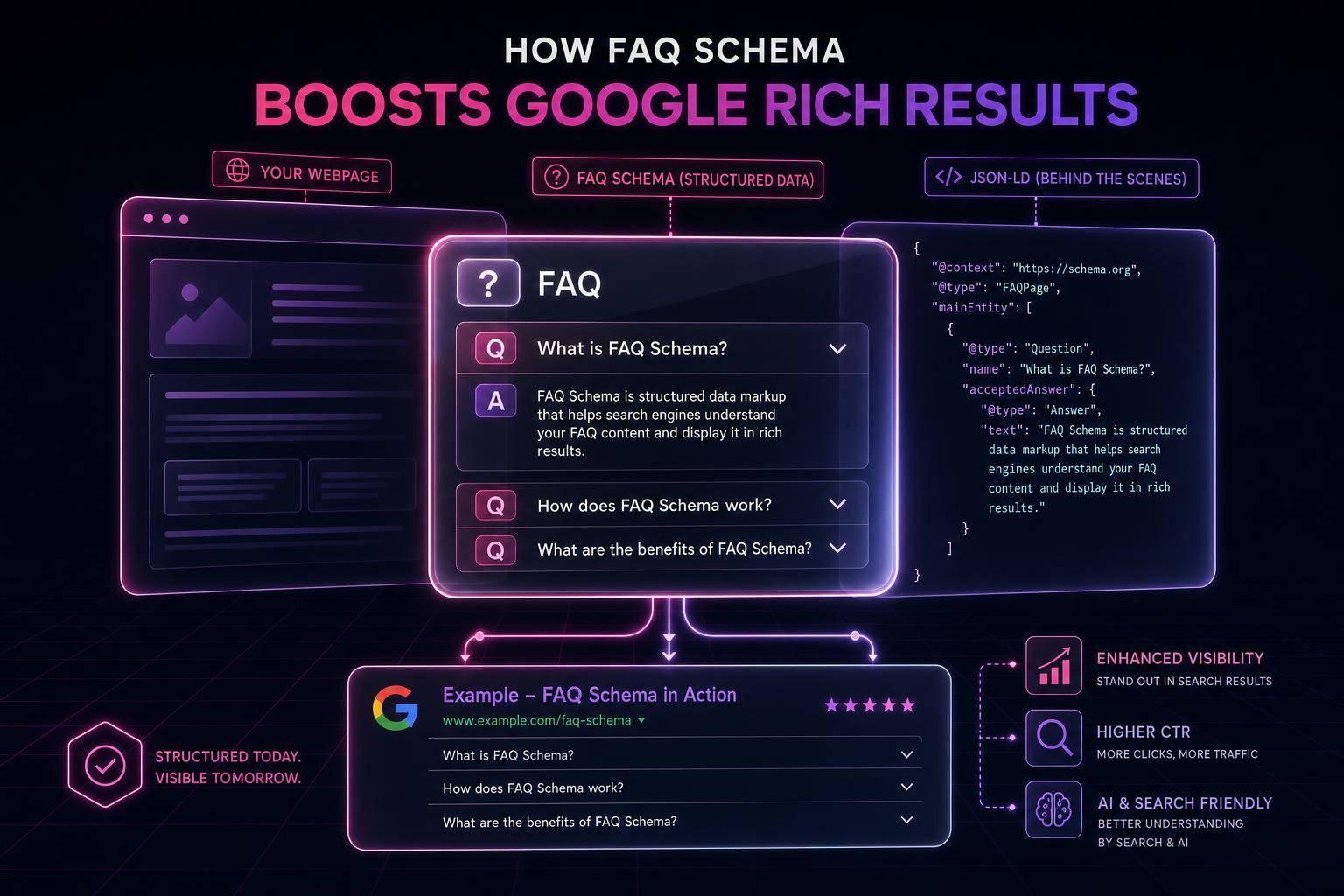
Structured data won’t push you to #1 in Google by itself, but it can help your pages qualify for rich results_. In plain English: it adds labels to your content so search engines can tell what’s a product, what’s a price, what’s a publish date, and what belongs in breadcrumbs.
If I had to boil this guide down, it comes to 5 simple jobs:
- Learn what structured data is: machine-readable code based on Schema.org
- Use the right format: JSON-LD is the main pick for beginners
- Match schema to the page:
Article,FAQPage,Product,LocalBusiness, andBreadcrumbList - Test your markup: use Google’s Rich Results Test and Schema Markup Validator
- Keep it in sync: if the page changes, the markup should change too
A few points matter most:
- Structured data is not a direct ranking factor
- It helps search engines read page details with less guesswork
- It may lead to rich results like prices, ratings, and breadcrumbs
- Case matters in Schema.org types, so
Articleworks differently fromarticle - You should only mark up content that users can see on the page
The guide also walks through simple JSON-LD examples for:
- an article
- a product
- a local business
And it covers the fields beginners should focus on first, like:
headline,author, anddatePublishedfor articlesprice,priceCurrency, andavailabilityfor productsname,address, andtelephonefor local business pages
One useful reality check: even if your markup is valid, Google still decides whether to show a rich result based on the query, page quality, and site signals.
So if you want the short version, here it is: pick the right schema type, add clean JSON-LD, validate it, and keep it accurate. That’s the core of the whole guide.
What Is Structured Data and Schema Markup?
Structured data adds labels to page elements so search engines can read them with less guesswork. Without it, they have to infer meaning from plain text. With it, you spell out what each value is. The idea is simple: label the page so search engines can spot the content type and key details fast.
Schema.org is the vocabulary behind those labels - a shared dictionary built by Google, Bing, Yahoo, and Yandex. In SEO, structured data and schema markup are often used the same way.
One thing to get straight early: structured data is not a direct ranking factor. It won't move a page from position 5 to position 1 by itself. What it can do is make your page eligible for rich results, which are those search listings with extras like star ratings, prices, or FAQ dropdowns.
How Search Engines Read Structured Data
Search engines use structured data to match parts of a page with defined properties. A product page, for example, might include properties like name, price, priceCurrency, and aggregateRating. When Google reads those fields, it doesn't need to guess what each value means. It can read the meaning directly.
That's what opens the door to rich results. Instead of a plain blue link, your listing might show star ratings from your aggregateRating property, a price from your offers block, or breadcrumb navigation from your BreadcrumbList markup. Google still decides whether to show those features based on query relevance, content quality, and site authority [7]. That direct mapping is what makes schema so useful for rich results.
Schema.org, JSON-LD, and Other Formats
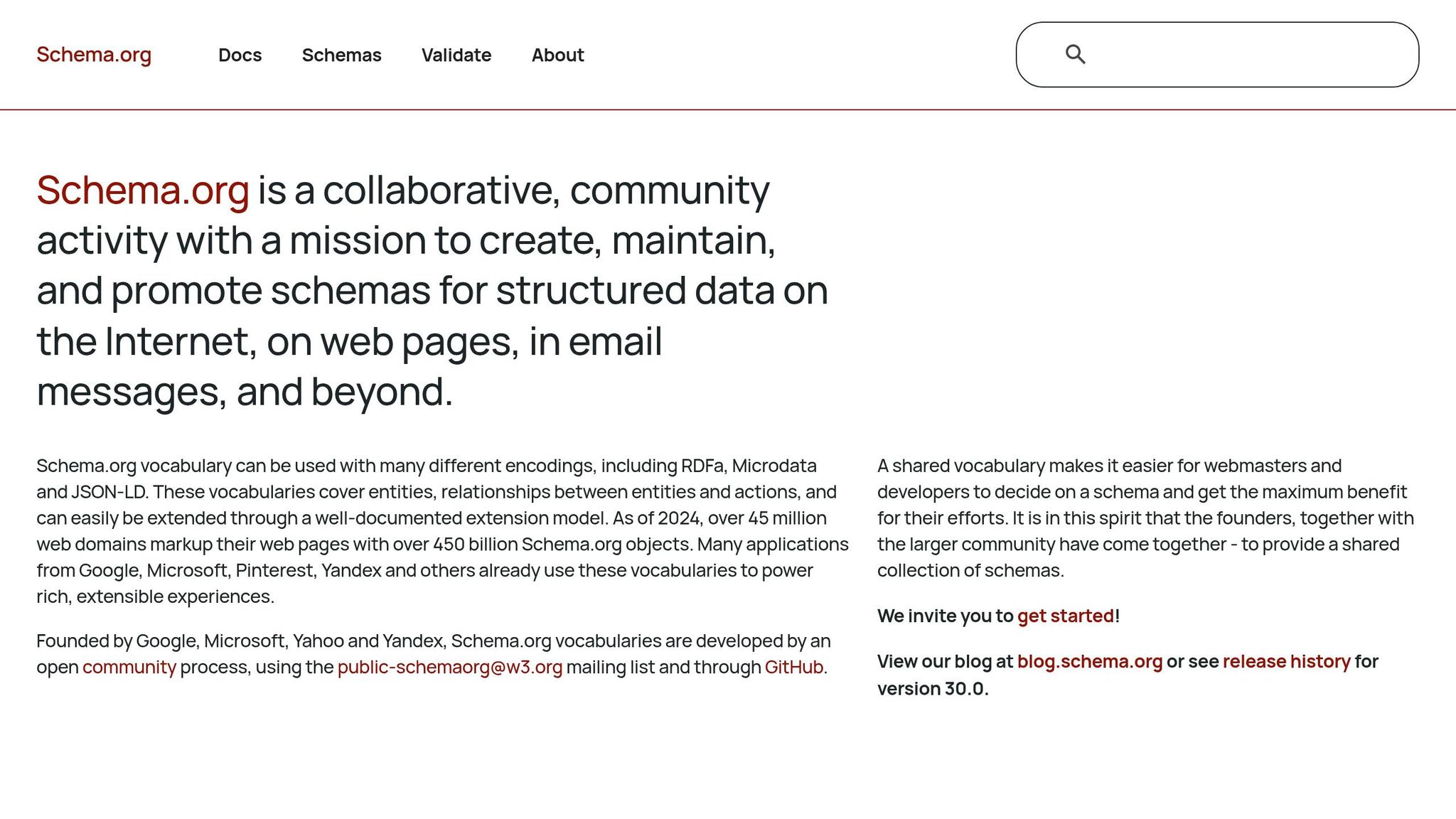
Schema.org gives you the vocabulary. JSON-LD gives you the format for writing it. JSON-LD sits in a separate <script> block outside the visible page content. That's a big reason many people like it: you can add, edit, or remove it without messing with the page design [1] [2].
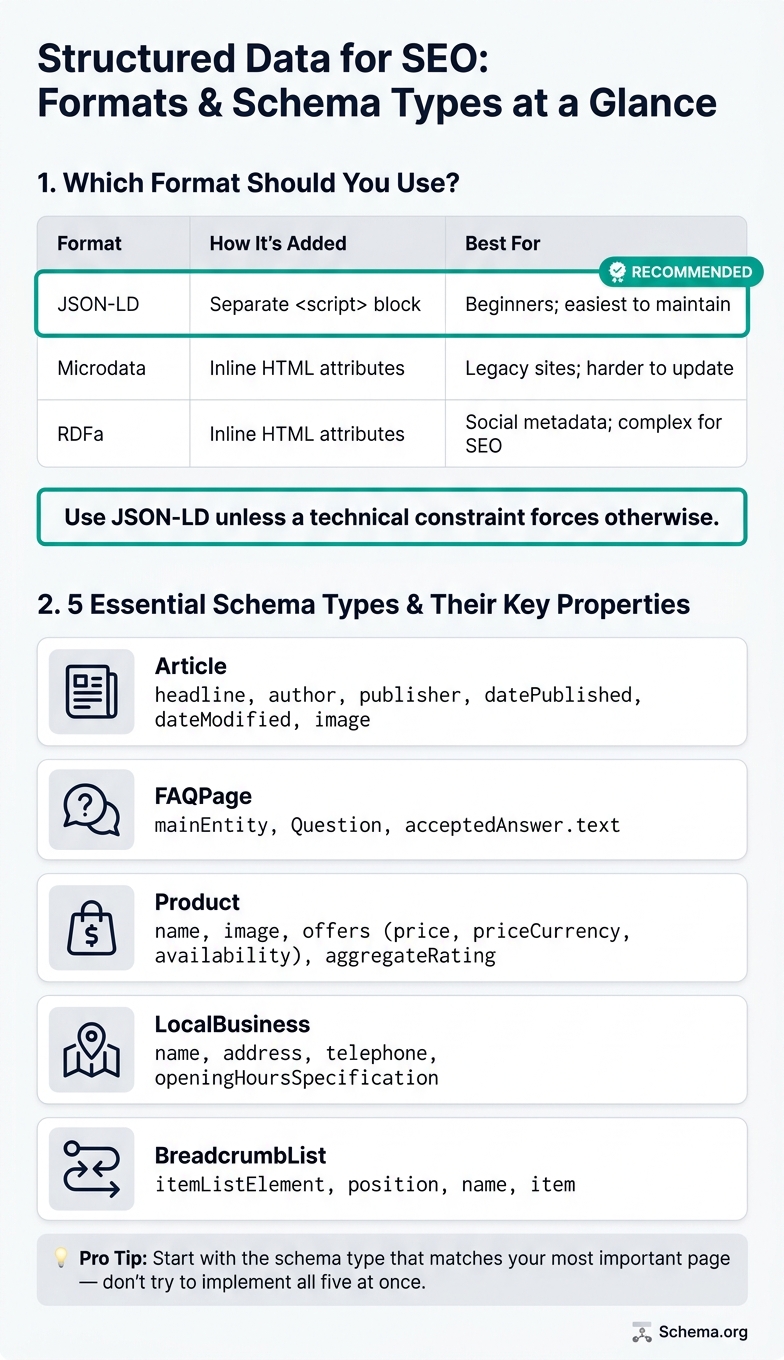
Two other formats exist: Microdata and RDFa. Both place the data right inside HTML tags, which makes updates more of a hassle. Here's the quick breakdown:
| Format | How It's Added | Best For |
|---|---|---|
| JSON-LD | Separate <script> block |
Beginners; easiest to maintain |
| Microdata | Inline HTML attributes | Legacy sites; harder to update |
| RDFa | Inline HTML attributes | Social metadata; complex for SEO |
Use JSON-LD unless a technical constraint forces you to use something else. Next, we'll look at the schema types beginners should start with.
sbb-itb-f4b2e1b
The Most Useful Schema Types for Beginners
Structured Data Formats & Schema Types: A Visual Comparison Guide
Now that JSON-LD is the format to use, the next step is simple: pick the schema type that fits the page in front of you. For most sites, five types handle the most common situations: Article, FAQPage, Product, LocalBusiness, and BreadcrumbList.
Don’t try to do everything at once. Start with the one that best matches the page you’re working on. If you are using a CMS, you can follow a guide to add schema to WordPress to simplify the process.
Article, FAQPage, and Product Schema
Article schema fits blog posts, news articles, and guides. The main properties to include are headline, author, publisher, datePublished, image, and dateModified. Keeping dateModified current gives search engines a clearer signal about when the page was last updated.
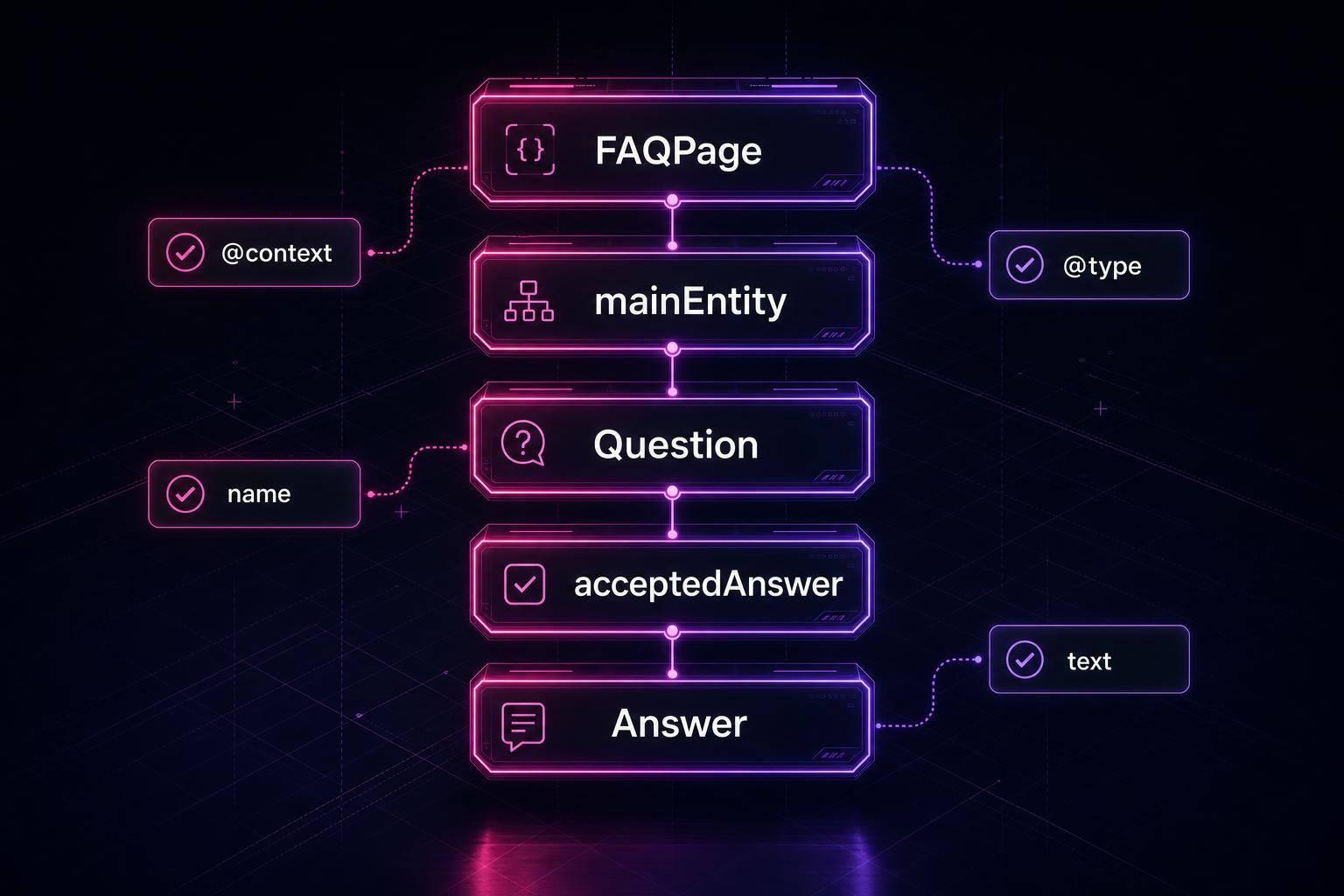
FAQPage schema works for pages with visible Q&A content. You’ll use a mainEntity array made up of Question objects, and each question should include name and acceptedAnswer.text. Even though Google no longer shows FAQ rich results in main search results, FAQPage still helps structure Q&A content on the page.
Product schema belongs on e-commerce product pages. At a minimum, include name, image, and offers. The offers property holds the details that matter most: price, priceCurrency - use "USD" for U.S. stores - and availability, such as "InStock". Add aggregateRating only when you have real customer reviews displayed on the page.
A good rule here: use fewer properties, but make sure they’re complete and accurate. Adding every field you can find usually does more harm than good.
LocalBusiness and BreadcrumbList Schema
Two other schema types come up all the time for local pages and site structure.
LocalBusiness schema is for pages about a real physical location, like a storefront, office, clinic, or restaurant. The core properties are name, address - including street, city, state, and ZIP code - telephone, and openingHoursSpecification. These details help search engines connect the page to an actual location. Use this schema only on pages that describe a real physical location.
BreadcrumbList schema shows search engines where a page sits in your site’s hierarchy. Think of a path like Home > Blog > Post Title. Each step is a ListItem with a position number, a name, and an item URL. The last item, which represents the current page, usually leaves out the URL. When this is set up well, search results may show breadcrumbs instead of a long URL path.
| Schema Type | Key Properties |
|---|---|
| Article | headline, author, publisher, datePublished, dateModified, image |
| FAQPage | mainEntity, Question, acceptedAnswer.text |
| Product | name, image, offers (price, priceCurrency, availability), aggregateRating |
| LocalBusiness | name, address, telephone, openingHoursSpecification |
| BreadcrumbList | itemListElement, position, name, item |
How to Add Structured Data to Your Site
Once you've picked the right schema type, add it as JSON-LD inside a <script type="application/ld+json"> block. That code sits in the page source and doesn't change what visitors see.
Match Your Pages to the Right Schema Types
Before you write any markup, group your URLs by page purpose. Then assign one main schema type to each group.
Use:
Articlefor posts and guidesProductfor product pagesLocalBusinessfor location pagesFAQPagefor pages with visible Q&ABreadcrumbListwhere breadcrumb navigation appears
Only add BreadcrumbList on pages that actually show breadcrumb navigation.
After you've grouped your pages, start with the pages that matter most first: high-traffic articles, top-performing product pages, and core service pages. That's usually the best place to begin if you want to make steady progress without getting buried in busywork.
JSON-LD Examples and Tools for Beginners
Here are three simple JSON-LD examples you can use right away.
Article schema - for blog posts, guides, and news:
{
  "@context": "https://schema.org",
  "@type": "Article",
  "headline": "Structured Data Guide",
  "datePublished": "2026-06-13",
  "author": {"@type": "Person", "name": "Jane Doe"}
}
Product schema - for e-commerce product pages:
{
  "@context": "https://schema.org",
  "@type": "Product",
  "name": "Tech Gadget Pro",
  "offers": {
    "@type": "Offer",
    "price": "299.00",
    "priceCurrency": "USD",
    "availability": "https://schema.org/InStock"
  }
}
LocalBusiness schema - for pages describing a physical location:
{
  "@context": "https://schema.org",
  "@type": "LocalBusiness",
  "name": "Example Repair Co",
  "address": {
    "@type": "PostalAddress",
    "streetAddress": "123 Main St",
    "addressLocality": "New York",
    "postalCode": "10001",
    "addressCountry": "US"
  },
  "telephone": "+1-212-555-0199"
}
Stick to these U.S. formatting rules every time: use USD for currency, ISO 8601 dates (YYYY-MM-DD), and business details that match your site and Google Business Profile.
After you add the markup, test it with Google's Rich Results Test and Schema Markup Validator. You can also use Schema Validator AI to detect page type, flag missing fields, and generate JSON-LD from your page content. Then test the markup before publishing.
How to Validate, Fix, and Maintain Structured Data
Validate your markup after you publish it. Then check it again any time the page changes. Once the markup is live, validation helps keep it eligible and accurate.
Using Validation Tools Correctly
Two tools are especially useful if you're new to this, and they do different jobs:
| Tool | Purpose | Input Type | Scope | What You See |
|---|---|---|---|---|
| Google Rich Results Test | Check eligibility for Google rich features | URL or code snippet | Google-supported rich result types only | Visual preview and eligibility status with errors and warnings |
| Schema Markup Validator | Validate markup against the Schema.org spec | URL or code snippet | Full Schema.org vocabulary | Syntax and semantic validity report |
Start with the red errors. Those are the ones that can block rich result eligibility. After that, clean up warnings that affect completeness. Warnings usually mean recommended properties are missing. They won't disqualify the page, but they can make the result look less complete.
A common beginner mistake is forgetting that Schema.org types are case-sensitive. Writing "article" instead of "Article" can make the markup invalid [6]. It's a small detail, but it can throw the whole thing off.
Also, only mark up data that users can actually see on the page. Hidden or fake data, like made-up ratings, can trigger a manual action [3].
Keeping Markup Accurate as Content Changes
After validation, keep the markup in sync with the page. If the page changes, the markup should change too. That includes article dates, product prices, stock status, business hours, and breadcrumbs [4][5].
Google Search Console's Enhancements report helps you track valid and invalid pages over time. Check it often after launch, then review it monthly [7].
It also pays to revalidate after CMS updates or theme changes. Those updates can break existing JSON-LD without much warning [7].
FAQs
How long does structured data take to show in Google?
It usually takes a few days to a few weeks for Google to show rich results after you add valid structured data.
The timing mostly comes down to two things:
- How often Google recrawls your site
- Whether your schema passes validation
Can I use more than one schema type on a page?
Yes. You can use more than one schema type on a single page. Add separate JSON-LD blocks for each type, or place them together inside one @graph.
That gives search engines a clearer picture of the different content elements on the page at the same time.
What happens if my structured data is valid but no rich result appears?
If your structured data is valid but no rich result shows up, Google may still decide not to display one. That choice can depend on query relevance, content quality, page authority, and competition - not just whether the schema is correct.
Valid schema makes a page eligible for rich results, but it does not guarantee one will appear in search results.