If you run a local business, add one clean JSON-LD schema block, match it to your Google Business Profile, and test it before publishing. That’s the short version.
I’d boil this article down to four points:
- LocalBusiness schema tells Google what your business is, where it is, and when it’s open
- JSON-LD is the simplest format to add and maintain
- Use the most specific business type possible, like
Dentist,Restaurant, orHVACBusiness - Keep your NAP data identical everywhere and validate after every update
A few numbers stand out fast:
- 46% of Google searches have local intent
- About 70% of local businesses still don’t use schema markup
- Roughly 40% to 60% of schema setups fail validation because of small syntax errors
So if I were setting this up today, I’d do this:
- Pick the right schema type
- Add the core business details in JSON-LD
- Put it on the right page (or use a WordPress schema guide for automation)
- Use separate markup for each location
- Test for syntax errors, missing fields, and NAP mismatches
- Recheck it every month and after site updates
This article is a plain-English walkthrough of that process, with examples, setup rules, and the mistakes most businesses make.
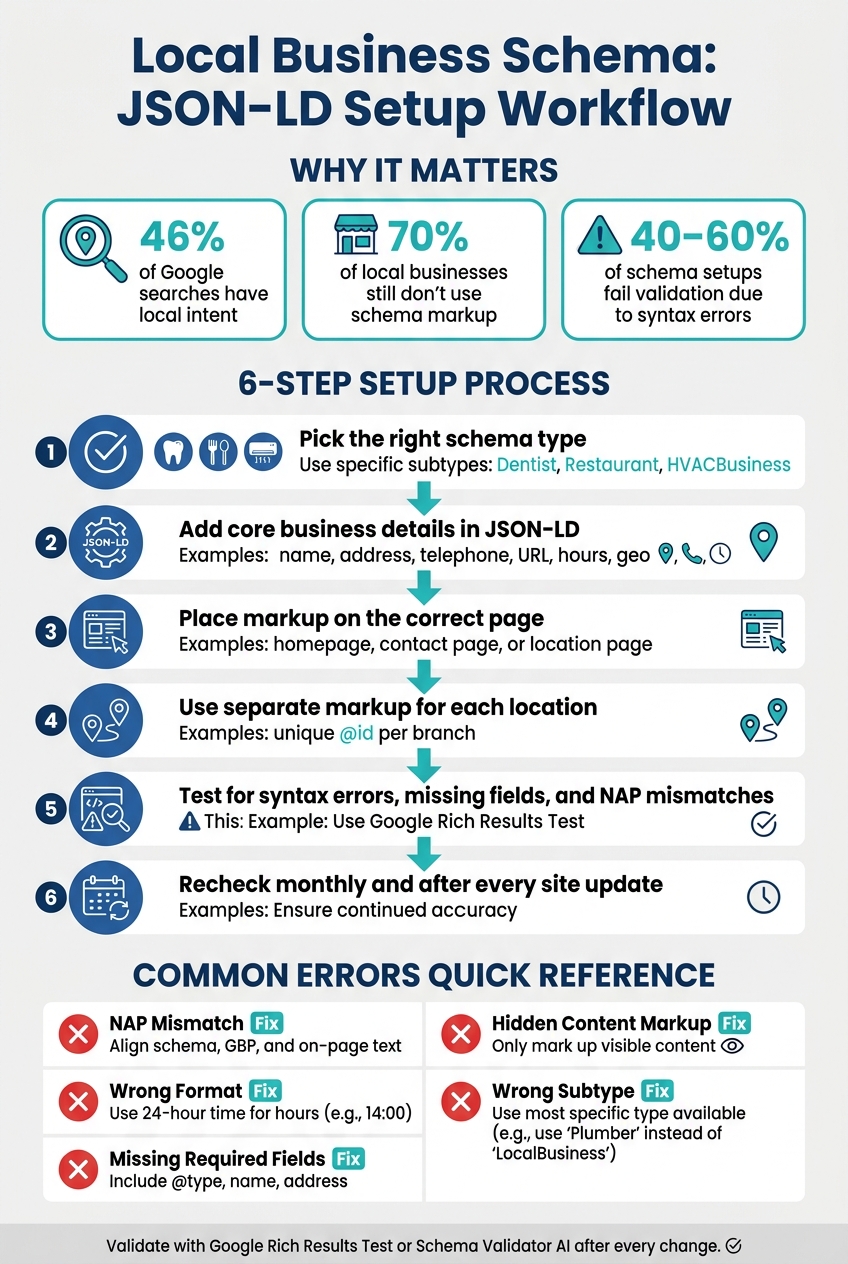
Local Business Schema JSON-LD Setup Workflow
Choosing the Right LocalBusiness Schema Type
sbb-itb-f4b2e1b
LocalBusiness Schema Basics: Types, Purpose, and Core Fields
LocalBusiness on Schema.org is a standard way to describe a business connected to a physical location. That can be a storefront people visit or a service-area business (SAB) that goes to the customer. It gives search engines a clear, machine-readable profile of the business.
For service-area businesses, use areaServed instead of listing a public street address.
Choose LocalBusiness or a More Specific Subtype
LocalBusiness is a broad type. So when a more specific subtype fits, use that instead.
A dental practice should use Dentist, not LocalBusiness. An HVAC company should use HVACBusiness. A sit-down restaurant should use Restaurant.
Why does this matter? Because the more specific type gives search engines a clearer category signal. Your @type should match your main business category. Use LocalBusiness only if no tighter subtype applies.
Once you have the right type, the next job is making sure the core fields and schema markup basics stay consistent.
Required and Recommended Properties
A few fields are must-haves for clean LocalBusiness markup. After that, some recommended properties help search engines read and show your business with more confidence.
| Property | Requirement | What It Tells Search Engines |
|---|---|---|
@context |
Required | Declares the schema vocabulary (https://schema.org) |
@type |
Required | The specific business category (for example, Restaurant or Plumber) |
name |
Required | Your official business name, exactly as it appears on GBP |
address |
Required | Full physical address using the PostalAddress format |
url |
Recommended | The main page URL for that business location |
telephone |
Recommended | Primary contact number with country code |
openingHoursSpecification |
Recommended | When the business is open |
geo |
Recommended | Exact latitude and longitude coordinates |
sameAs |
Recommended | Links to GBP and other official profiles |
priceRange |
Recommended | Relative cost level, such as $$ or $10–15 |
image |
Recommended | A photo of the business or its logo |
US Formatting Details to Keep Consistent
Formatting matters just as much as field choice, especially for NAP consistency. Search engines compare your schema with your GBP and other directory listings. So even small mismatches, like "St." versus "Street", can lower confidence in your data [6].
For U.S. businesses, keep these details consistent across your markup:
- Phone numbers: Use international format, such as
+1-555-123-4567. - Opening hours: Use 24-hour time, such as
09:00and17:30. - Geo coordinates: Use decimal latitude and longitude with at least 5 decimal places.
- Address: Use full
PostalAddressfields:streetAddress,addressLocality,addressRegion,postalCode, andaddressCountry=US.
Keep NAP exactly the same across your site and Google Business Profile.
How to Structure LocalBusiness JSON-LD on Your Website
With your main fields set, the next move is page structure and entity setup.
Single-Location Business Markup Structure
If you run one location, put one LocalBusiness block on one main page: your homepage, contact page, or location page. Pick the page that makes the most sense, then keep the full block there.
Here’s a clean example for a dental practice in Austin, TX:
{
  "@context": "https://schema.org",
  "@type": "Dentist",
  "@id": "https://example.com/#localbusiness",
  "name": "Bright Smile Dental",
  "image": "https://example.com/photo.jpg",
  "url": "https://example.com",
  "telephone": "+1-555-123-4567",
  "address": {
    "@type": "PostalAddress",
    "streetAddress": "123 Main St",
    "addressLocality": "Austin",
    "addressRegion": "TX",
    "postalCode": "78701",
    "addressCountry": "US"
  },
  "geo": {
    "@type": "GeoCoordinates",
    "latitude": 30.26720,
    "longitude": -97.74310
  },
  "openingHoursSpecification": [
    {
      "@type": "OpeningHoursSpecification",
      "dayOfWeek": ["Monday", "Tuesday", "Wednesday", "Thursday", "Friday"],
      "opens": "09:00",
      "closes": "17:00"
    }
  ]
}
Use a stable @id like https://example.com/#localbusiness. That gives search engines a steady reference point, so they can treat your business as one consistent entity across the site and tie related schema blocks back to it.
Multi-location sites work differently. Each branch needs to stand on its own.
Multi-Location Business Structure and Page-Level Markup
If your business has more than one location, give each branch its own landing page. Then add a separate LocalBusiness block to each page.
Don’t lump multiple branches into one block. Each one should show that location’s own:
- address
- phone number
- hours
- URL
To tie each branch back to the main brand, use parentOrganization or branchOf inside the location’s schema block. Each location also needs its own @id, such as https://example.com/locations/austin/#localbusiness and https://example.com/locations/dallas/#localbusiness.
That way, search engines read them as separate entities, not duplicates.
Combine Related Schema Without Conflicts
Once your location pages are set up, connect related entities without repeating the same business identity over and over.
LocalBusiness schema doesn’t need to sit by itself. You can add aggregateRating or review to give search engines more detail about your business. And there’s a clear upside here: implementing aggregateRating schema can increase click-through rates by up to 35% [7][4].
Use nested properties when everything is on one page. Use @graph when you need separate WebSite, Organization, and LocalBusiness entities tied together by @id.
The simple version:
- Use nesting for single-page setups.
- Use
@graphwhen brand and location entities need to stay separate. - Use
@idto connect everything cleanly.
Validation and Common Errors Before Publishing
Once you add the markup, validate it before the page goes live. Clean markup helps search engines trust your business details and stay within Google's rich result rules.
Common LocalBusiness Schema Mistakes to Avoid
These are the issues that show up most often:
- NAP mismatch: Your schema data doesn't match your Google Business Profile or the text on the page. Keep all three aligned.
- Wrong format: Opening hours need to use 24-hour time.
- Missing required fields: Include
@type,name, andaddress. - Hidden content: Don't mark up details users can't see on the page. This breaks Google's structured data policies and can lead to a manual action [2][6].
- Wrong subtype: Pick the most specific subtype that fits the business.
- Out-of-sync details: Update the schema when business details change.
About 40% to 60% of schema setups fail validation because of syntax mistakes like missing commas, brackets, or quotes [9]. It doesn't take much to break JSON-LD. One small typo can throw the whole thing off. A validator helps validate schema markup for Google rich results to catch both syntax issues and policy problems before you publish.
Validate LocalBusiness Markup with Schema Validator AI
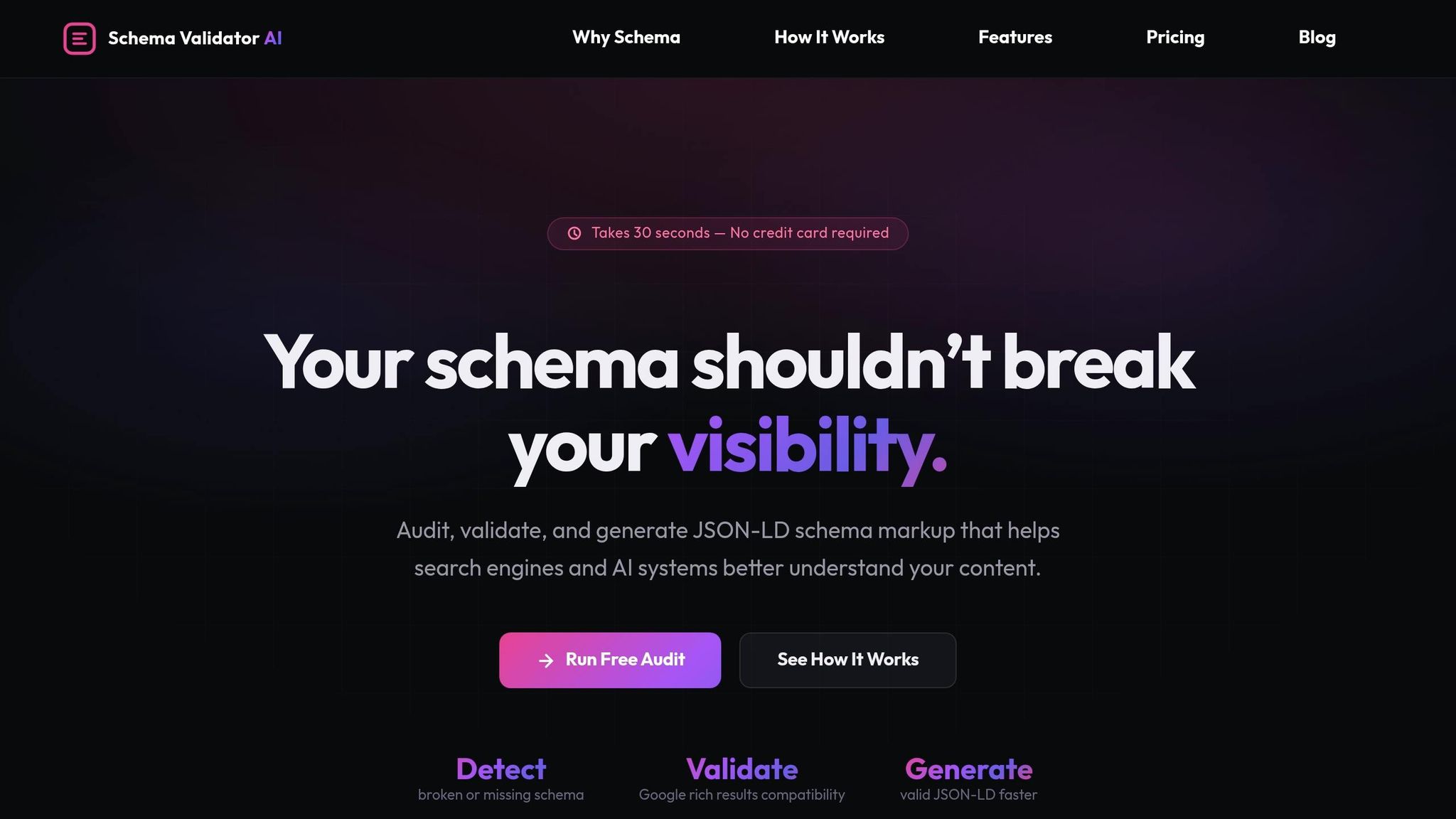
Schema Validator AI checks LocalBusiness JSON-LD for missing fields, broken syntax, and Google Rich Results compatibility.
Read Validation Results and Fix Errors in Order
Start with hard errors. Then move on to warnings.
| Validation Issue | Meaning | Fix |
|---|---|---|
| Hard Error | Missing required fields or syntax errors | Fix first - page is ineligible for rich results [4][8] |
| Warning | Missing recommended fields like geo or telephone |
Add them where possible to improve local relevance [4][5] |
| NAP Mismatch | Schema doesn't match GBP or on-page text | Align the data [6][5] |
| Invalid Format | Wrong data type or format | Correct the format [3] |
| Hidden Data Error | Markup describes content not visible to users | Make the data visible or remove the markup [1][8] |
After you fix the errors, request a recrawl in Search Console. Then keep an eye on the Enhancements report, especially after site changes or plugin updates, since markup can break without much warning.
Conclusion: A Simple LocalBusiness Schema Workflow to Maintain
Once your markup is live, the job isn’t over. LocalBusiness schema needs regular upkeep, just like your website, your hours, or your Google Business Profile. If your phone number, business hours, or location changes, update your schema right away.
Key Takeaways for Small Business Owners and Marketers
A simple workflow works best:
- Update Google Business Profile first, then copy the same details into JSON-LD.
- Use the most specific subtype you can, such as
Dentist,Plumber, orRestaurant. - Put JSON-LD on the right page, whether that’s your homepage, contact page, or a location page.
- Validate after every change. About 40% to 60% of schema implementations fail validation because of simple syntax errors [9]. Running your markup through Schema Validator AI before publishing can help catch missing or broken schema early.
Keep it simple: update, validate, and review once a month.
Check Google Search Console’s Enhancements report every month, especially after theme or plugin updates.
FAQs
Do I need LocalBusiness schema on every page?
No. For a single-location business, add LocalBusiness schema to your homepage and contact page.
If your business has more than one location, use location-specific schema only on each branch’s dedicated page. That way, each page points to the right place instead of mixing details across the site.
You can also add schema to service pages when it matches the content people can see on the page. If the page talks about a service in plain sight, the markup should line up with that.
Schema Validator AI can help you generate and validate the markup.
What should I do if my business has no storefront?
If your business doesn’t have a physical storefront, like a service-area business, use Organization schema instead of LocalBusiness.
If you’re a consultant or service provider, ProfessionalService may be a better fit.
One thing you should NOT do: add a fake address or use a home address just to get around schema rules. That can create trust issues and lead to messy markup.
If you want help putting the code together and checking it for errors, Schema Validator AI can help you generate and validate the markup for your business type.
How often should I update my JSON-LD?
Update your JSON-LD as soon as your business details change. That includes things like hours, address, phone number, or brand name.
Accuracy matters. When your structured data matches places like your Google Business Profile, it helps support trust, local SEO, and visibility in search and AI-generated results.
Schema Validator AI can help you audit, validate, and update your structured data.