JSON-LD is a simple way to help search engines better understand your website. It’s a type of structured data that uses JavaScript to describe the content on your page. By adding JSON-LD to your site, you can improve your visibility in search results and make your content eligible for rich features like star ratings, breadcrumbs, and more.
Key Takeaways:
- What it is: JSON-LD (JavaScript Object Notation for Linked Data) is a format for adding structured data to your website.
- Why it matters: It helps search engines interpret your content accurately, leading to better rankings and rich search results.
- Google’s recommendation: Since 2015, Google has preferred JSON-LD over other formats like Microdata or RDFa.
- SEO benefits: Pages with rich results see an 82% higher click-through rate compared to standard listings.
- Future-proof: JSON-LD also plays a role in AI-driven search tools, making it essential for staying relevant in 2026.
Quick Overview of How to Use JSON-LD:
- Identify the right schema type for each page (e.g.,
Product,Article,LocalBusiness). - Generate JSON-LD code using a schema generator or write it manually.
- Place the code in your page’s
<head>section within a<script type="application/ld+json">tag. - Validate your code using tools like Google’s Rich Results Test to ensure it’s error-free.
JSON-LD isn’t just about improving SEO - it’s becoming a key tool for connecting your website to AI-powered search engines. Start by adding schema to your most important pages and keep it updated for the best results.
Why JSON-LD Schema Markup Matters for SEO
JSON-LD vs. Microdata vs. RDFa: Structured Data Format Comparison
How Structured Data Helps Search Engines Understand Your Content
Search engines rely on structured data to make sense of the content they crawl. While the visible text on a webpage is crafted for human readers, structured data is designed specifically for machines.
"The distinction - 'Google interprets' versus 'Google knows' - is the key. The visible text on a page is written for people; structured data is written for machines." - Technova Partners [5]
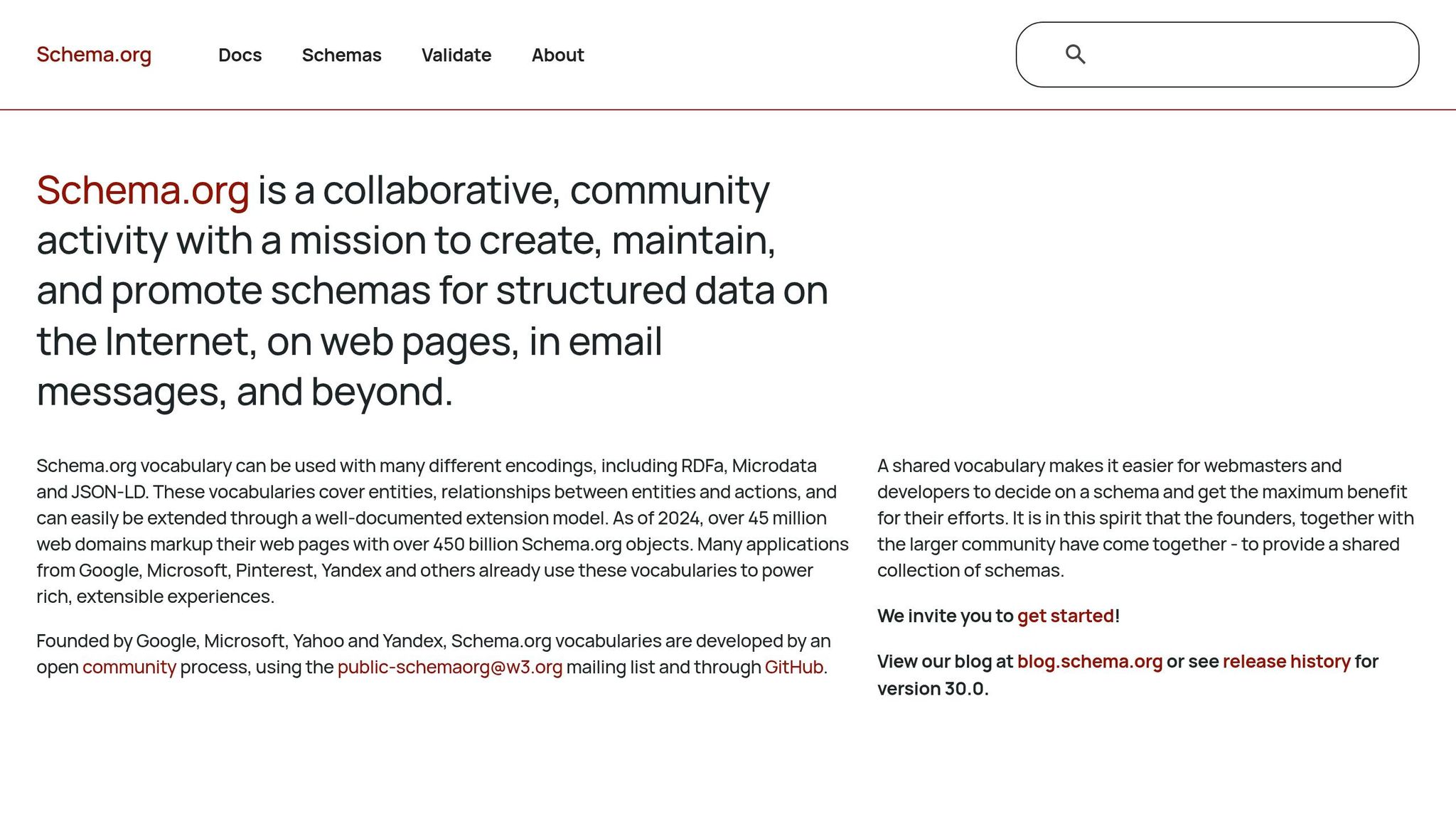
JSON-LD, which uses the Schema.org vocabulary, helps define entities - such as products, people, or organizations - and the relationships between them. For example, you can explicitly tell Google that a webpage isn't just about a coffee maker; it's a Product with a specific Brand, an Offer showing the price, and an AggregateRating based on customer reviews. This level of clarity directly influences how Google ranks and displays your pages in search results.
The benefits of structured data aren't limited to traditional search engines. AI-driven tools, like Google AI Overviews, heavily depend on structured data to extract accurate information and correctly cite sources. A study showed that GPT-4's data extraction accuracy increased from 16% to 54% when structured data was used [3]. This demonstrates that JSON-LD plays a vital role in improving both traditional and AI-driven search outcomes. Moreover, JSON-LD enables enhanced search features that can make your content stand out.
How JSON-LD Can Get You Into Google Rich Results
Rich results are those enhanced search listings that include elements like star ratings, prices, availability, and breadcrumb trails. These features aren't just visually appealing - they also drive results. Nestlé, for instance, reported an 82% higher click-through rate for pages that appeared as rich results compared to standard listings [7].
JSON-LD is the go-to format for enabling these features. By applying the appropriate schema types - such as Product, Article, or BreadcrumbList - you signal to Google that your content is structured and reliable, making it eligible for rich results. It’s worth noting, however, that Google retired FAQ rich results from search listings as of May 7, 2026 [5]. Despite this, the FAQPage schema type still serves as a valuable signal for AI-generated answers, ensuring it remains relevant in a different context.
Once you've optimized for rich results, it’s important to understand why JSON-LD outshines other structured data formats.
JSON-LD vs. Other Structured Data Formats
Structured data can be implemented in three main ways: JSON-LD, Microdata, and RDFa. The key difference lies in how and where the markup is integrated into your webpage.
- JSON-LD: Stored in a standalone
<script>block, separate from your visible content. - Microdata and RDFa: Embedded directly into HTML tags, making them dependent on your page's layout.
This separation gives JSON-LD a major advantage. If you ever redesign your page, update templates, or hand off the project to a new developer, your JSON-LD markup remains unaffected. In contrast, Microdata and RDFa are tightly woven into the HTML, meaning even minor design changes can accidentally break the markup. Google itself recognizes this:
"Although we recommend using JSON-LD, you can also use microdata or RDFa." - Google Search Central [7]
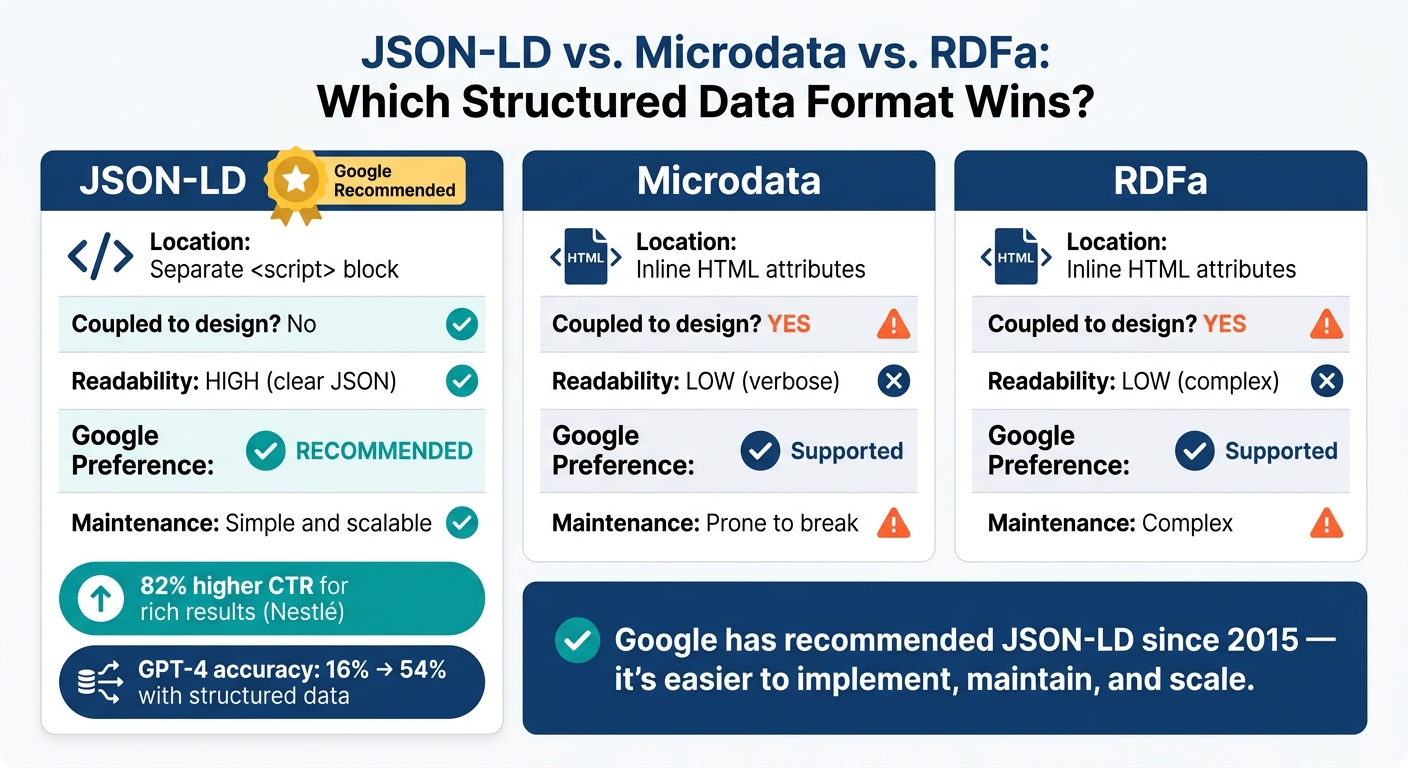
Here’s a quick comparison of the three formats:
| Feature | JSON-LD | Microdata | RDFa |
|---|---|---|---|
| Location | Separate <script> block |
Inline HTML attributes | Inline HTML attributes |
| Coupled to design? | No | Yes | Yes |
| Readability | High (clear JSON) | Low (verbose) | Low (complex) |
| Google preference | Recommended | Supported | Supported |
| Maintenance | Simple and scalable | Prone to break | Complex |
For most websites, JSON-LD is the obvious choice. It’s easier to implement, maintain, and scale, making it a practical solution for structured data needs in 2026 and beyond.
sbb-itb-f4b2e1b
Core Components of JSON-LD Schema Markup
How JSON-LD Syntax Works
JSON-LD blocks are housed within a <script type="application/ld+json"> tag, which you can place in the <head> or <body> of your HTML. Most developers prefer the <head> section since it allows search engine crawlers to find the markup more quickly [4].
Within this script tag, the data is structured using key-value pairs, with both keys and string values enclosed in double quotes. You can organize your data further by nesting objects with curly braces {} or grouping multiple values for a single property using square brackets []. Here’s a crucial detail: JSON-LD is case-sensitive. For instance, writing "@type": "article" instead of "@type": "Article" will render your markup invalid [1].
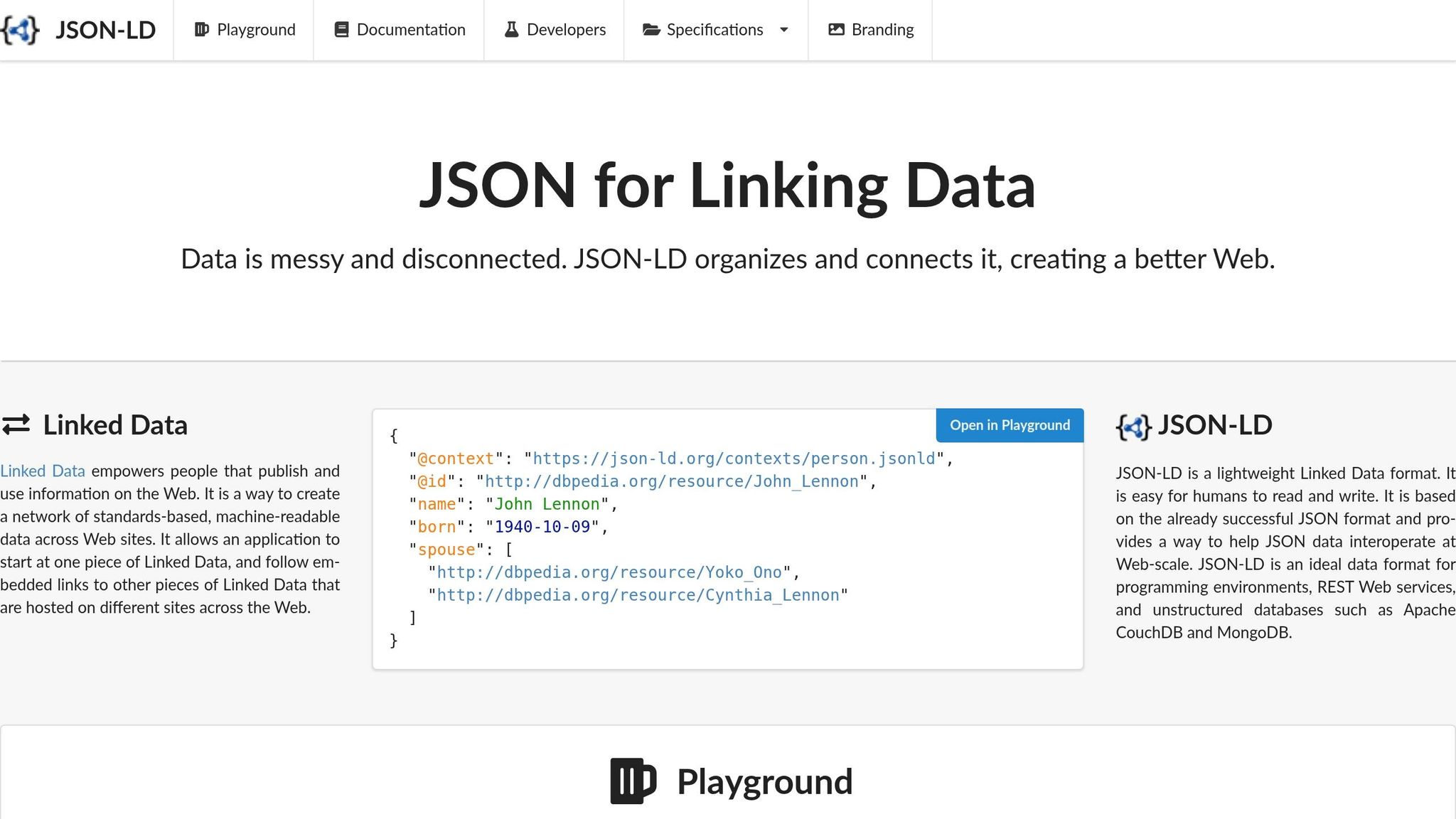
Two properties are mandatory in every JSON-LD block: @context and @type. The @context property, always set to "https://schema.org", indicates the vocabulary being used. The @type property specifies the type of entity you're describing. These two form the backbone of any JSON-LD implementation.
For properties like image, url, and logo, always use absolute URLs - e.g., https://example.com/image.jpg - instead of relative paths like /image.jpg. This avoids confusion for crawlers and ensures your markup is processed correctly [5]. Additionally, be careful to avoid trailing commas after the last property in an object; even a single misplaced comma can break the JSON-LD block [2].
Key Schema.org Properties You Need to Know
Once you’ve got the syntax down, these key properties help ensure your JSON-LD markup conveys the right information:
| Property | Purpose | Example Value |
|---|---|---|
@context |
Specifies the Schema.org vocabulary | "https://schema.org" |
@type |
Defines the entity type | "Product", "Article", "LocalBusiness" |
headline |
Represents the title of the page or article | "What Is JSON-LD Schema Markup" |
author |
Describes the creator (Person or Organization) | {"@type": "Person", "name": "Jane Smith"} |
datePublished |
Indicates the original publication date | "2026-06-12" |
dateModified |
Marks the last updated date | "2026-06-12" |
image |
URL for a representative image | "https://example.com/image.jpg" |
@id |
Provides a unique identifier for linking entities | "https://example.com/#organization" |
For more complex setups, the @graph property allows you to define multiple entities - such as Organization, WebSite, and Article - within a single script block. These entities can reference one another using @id values, which helps search engines understand how they’re connected. This approach strengthens your site’s visibility in search results, especially as AI-driven engines become more prominent.
Common JSON-LD Schema Types Used in SEO
Different pages benefit from different schema types. Here are some of the most impactful ones for SEO:
-
Article: Perfect for blog posts and editorial content. It usually includes properties like
headline,author, anddatePublished. If the content is a blog post, you can use theBlogPostingsubtype to provide additional context. -
Product: A must-have for e-commerce pages. This schema often includes an
offersobject with details likeprice,priceCurrency, andavailability. Adding anaggregateRatingproperty can enable star ratings in search results, which studies show can increase click-through rates by 35% [9]. -
BreadcrumbList: Replaces raw URLs in search results with a clear navigational path (e.g.,
Home > Blog > SEO Tips). It uses anitemListElementarray to define each step in the hierarchy, making your listing more user-friendly. -
LocalBusiness: Essential for businesses with physical locations. This schema includes properties like
address,telephone,geocoordinates, andopeningHours, which boost visibility in local search and Google Maps. -
FAQPage: Structured with a
mainEntityarray ofQuestionandacceptedAnswerpairs. Though recent updates have altered how FAQ schemas appear in search, they remain useful for clarifying content structure for AI-based search tools [5].
"JSON-LD schema is now more crucial than it's ever been... this is the language your website uses to communicate with AI engines, allowing you to appear in AI Overviews, AI Mode, and other generative engine results." - Keely McGroarty, SEO Strategist, Ignite Visibility [1]
Next, we’ll dive into the step-by-step process of adding schema markup to your site.
How to Add JSON-LD Schema Markup to Your Website
Choosing the Right Schema Type for Each Page
To make the most of schema markup, it's essential to match each page on your site with the right schema type. For instance, a product page should use the Product schema, while a blog post works best with Article or BlogPosting. A local business, like a dentist's office, benefits from the LocalBusiness schema. The more specific your schema type, the more helpful it is for search engines.
For your homepage, consider using Organization and WebSite schemas. Interior pages should have schema types that align with their primary purpose. Think about what the page is meant to do, and select the schema accordingly.
"Schema markup is not a 'quick win for gold stars' anymore. It's the layer that connects your content to search engines and, increasingly, to generative engines." - Alfons Marques, Founder, Technova Partners [5]
Once you've identified the right schema, follow these steps to add JSON-LD to your site.
Step-by-Step: Adding JSON-LD to Your Web Pages
-
Generate JSON-LD code using a reliable schema generator. Tools like Schema Validator AI's AI Schema Generator can create this code for you based on your content and page type. Just remember to review the output for placeholders like
"YOUR_URL"or"example.com"before applying it to your site. -
Use ISO 8601 date formats for any dates in your schema (e.g.,
"2026-06-12"or"2026-06-12T09:00:00Z"). Incorrect date formats are a common issue that can lead to validation errors. To ensure your code is correct, validate it using tools like Google's Rich Results Test or Schema.org Validator. Schema Validator AI simplifies this process by combining these checks and showing which rich results your markup qualifies for. -
Place the JSON-LD code in your HTML
<head>section using the<script type="application/ld+json">tag. This ensures search engine crawlers can quickly access your structured data. If you're using WordPress, many SEO plugins allow you to paste this code into a custom field without needing to edit your site's code directly.
Once implemented, double-check your work to avoid common errors.
Common JSON-LD Mistakes and How to Avoid Them
One of the most frequent mistakes is marking up content that isn't visible to users. If the information isn't on the page for visitors to see, including it in your schema can lead to penalties [6].
Another common issue is mismatched data. For example, if your Product schema lists a price of $49.99 but the page shows $59.99, it can undermine the trustworthiness of your markup. The same goes for stock information - if your schema says InStock but the page shows "Out of Stock", search engines may flag it as inconsistent.
From a technical perspective, always use full URLs (e.g., https://example.com/images/product.jpg) in your schema to avoid errors. Also, make sure to strip out any HTML tags from your CMS content before adding it to your JSON-LD. Stray tags like <p> or <strong> within a JSON string can cause the entire block to fail [8].
Validating and Maintaining Your JSON-LD Schema Markup
Why You Need to Validate Your JSON-LD
Even the best-written JSON-LD can fail without warning. A small mistake - like a trailing comma, an unescaped quote, or using "article" instead of "Article" - can cause search engines to ignore your schema entirely. That's where validation steps in. It ensures your markup is error-free, aligns with Google's structured data guidelines, and qualifies your pages for rich results. Beyond improving SEO, validated schema also enhances how AI tools interpret and reference your content, making it more accessible for AI-driven platforms. This is why tools like Schema Validator AI are so valuable - they simplify the process and ensure your structured data works as intended.
How Schema Validator AI Simplifies JSON-LD Validation
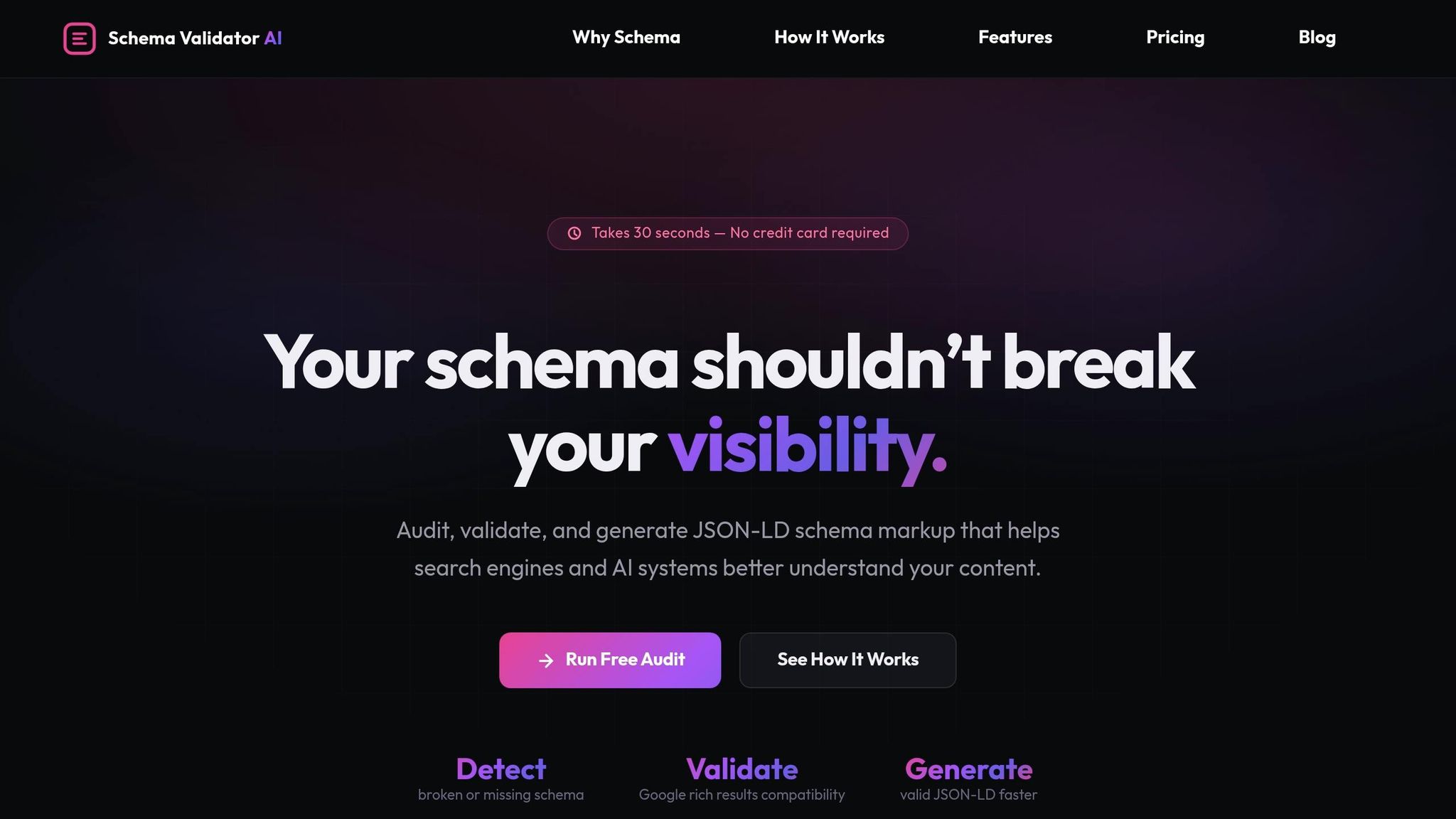
Schema Validator AI is designed to make JSON-LD validation easier and more efficient. It combines validation, auditing, and schema generation in one platform, offering features like:
- Schema Health Scoring: Provides a quick overview of how well your schema is performing.
- URL Schema Audit: Flags hidden content or mismatched data in your structured data.
- Bulk Generator: Available with the Pro plan ($29/month), this tool can audit up to 20 URLs simultaneously.
- AI Schema Generator: Automatically creates valid JSON-LD based on your page's content.
- Google Rich Results Validation: Verifies which rich result types your schema qualifies for - no need to switch between tools.
These features save time and reduce errors, making it easier to manage your structured data effectively.
Keeping Your JSON-LD Up to Date
Maintaining accurate JSON-LD is an ongoing task. As your content evolves, your structured data needs to stay aligned. For example, if your Product schema lists a price that no longer matches the page, or your Article schema has an outdated dateModified, search engines and AI tools might see your markup as unreliable.
The dateModified property is particularly important. Half of AI citations come from content less than 13 weeks old [3], meaning AI tools prioritize fresh information for citations. Update this property whenever you make substantial changes to a page, but avoid doing so for minor edits - accuracy is more important than frequent updates.
Accurate and current schema helps maintain eligibility for rich results and improves AI visibility. For dynamic content like product listings or event pages, consider generating JSON-LD programmatically through your CMS to keep it in sync with live updates. Regular audits are also essential - Schema Validator AI’s free plan allows for two URL audits per month, making it a helpful option for smaller websites. These checks can catch issues early, ensuring your structured data continues to support your SEO goals effectively.
Conclusion: Getting Started with JSON-LD for SEO
Structured data has become a cornerstone for both traditional search and the evolving landscape of AI-powered search tools. JSON-LD, endorsed by Google, plays a key role in powering AI Overviews and generative search citations, making it an essential tool in your SEO strategy.
Here’s why it matters: rich results can increase click-through rates from 41% to 58% - a boost of up to 82% compared to standard listings [3][5].
Getting started is simpler than it might seem. Begin by adding WebSite and Organization schemas to your homepage to establish your brand’s authority. From there, expand with page-specific schemas like Product, Article, BlogPosting, or BreadcrumbList, depending on each page’s purpose. Make sure your JSON-LD markup matches the visible content, uses absolute URLs, and keeps properties like dateModified up to date.
"Structured data stopped being a 'quick win for gold stars' a long time ago. It's the layer that connects your content to search engines and, increasingly, to generative engines." - Alfons Marques, Founder, Technova Partners [5]
Precision is critical. Even a small syntax error - like a misplaced comma or incorrect capitalization - can render your JSON-LD invalid. Tools like Schema Validator AI can help. Their free plan allows two URL audits per month, while the Pro plan ($29/month) offers unlimited audits and bulk generation. With error-free JSON-LD, you’ll create a strong foundation for better search visibility.
Take it one step at a time. Start with a single page, apply the appropriate schema, validate your work, and build from there. This method ensures both accuracy and improved visibility, reinforcing the importance of structured data in modern SEO.
FAQs
Does adding JSON-LD guarantee rich results in Google?
Adding JSON-LD schema markup won't promise rich results in Google, but it can greatly increase your chances when done right. By using structured data effectively, you help search engines interpret your content more accurately, which could make it eligible for features like Rich Results.
How do I choose the right schema type for a page?
To pick the right schema type, start by determining the primary purpose or content of your page. For example, is it an Article, an FAQPage, a Product, or a LocalBusiness? Once you know, head over to Schema.org to review the required properties and make sure the schema aligns with the visible content on your page.
After that, add the JSON-LD script to your page - either in the <head> section or at the end of the <body>. Finally, run your code through Google's Rich Results Test to ensure everything is accurate and working as intended.
How often should I update my JSON-LD?
Whenever you make major updates to your content, like tweaking page details, changing dates, or altering schema properties, don't forget to update your JSON-LD as well. This ensures your structured data stays aligned with the latest content on your site.
To maintain accuracy, make it a habit to run regular audits using tools like Google's Rich Results Test. This helps verify that your JSON-LD is error-free and complies with schema guidelines, keeping your site optimized for search engines.