If I were setting up structured data today, I’d pick JSON-LD for most sites. It’s the format Google points to most often, it stays separate from page HTML, and it’s usually less work to update across many URLs.
Here’s the short version:
- JSON-LD is the best fit for most new sites, stores, and blogs.
- Microdata can still work on older templates, but HTML edits can break it.
- RDFa is more complex and usually only makes sense in linked-data setups.
- All three use Schema.org and can help pages become eligible for rich results like prices, ratings, and article details.
- Structured data can help with visibility and click-through rate, but it does not directly improve rankings.
- The main risk with JSON-LD is drift: the schema says one thing, while the page shows another.
- Even a small syntax mistake in JSON-LD, like a missing comma, can stop the whole block from working—making a schema markup audit essential for maintenance.
A simple way to think about it:
- If your site uses React, Vue, or Next.js, I’d lean toward JSON-LD.
- If you inherited Microdata or RDFa, I’d test it before changing anything.
- If your team updates content often, I’d use a format that’s easier to keep in sync.
Quick Comparison
| Format | Where it lives | Best for | Main problem |
|---|---|---|---|
| JSON-LD | In a <script> block |
New builds, CMS setups, JavaScript sites | Can drift from page content |
| Microdata | In HTML attributes | Older server-rendered templates | HTML changes can break markup |
| RDFa | In HTML attributes | Linked-data projects | Harder to read and keep up |
One more point: Google rich results are never guaranteed. But clean, valid structured data gives search engines clearer page details, and that can matter when your content is pulled into search features and AI answers.
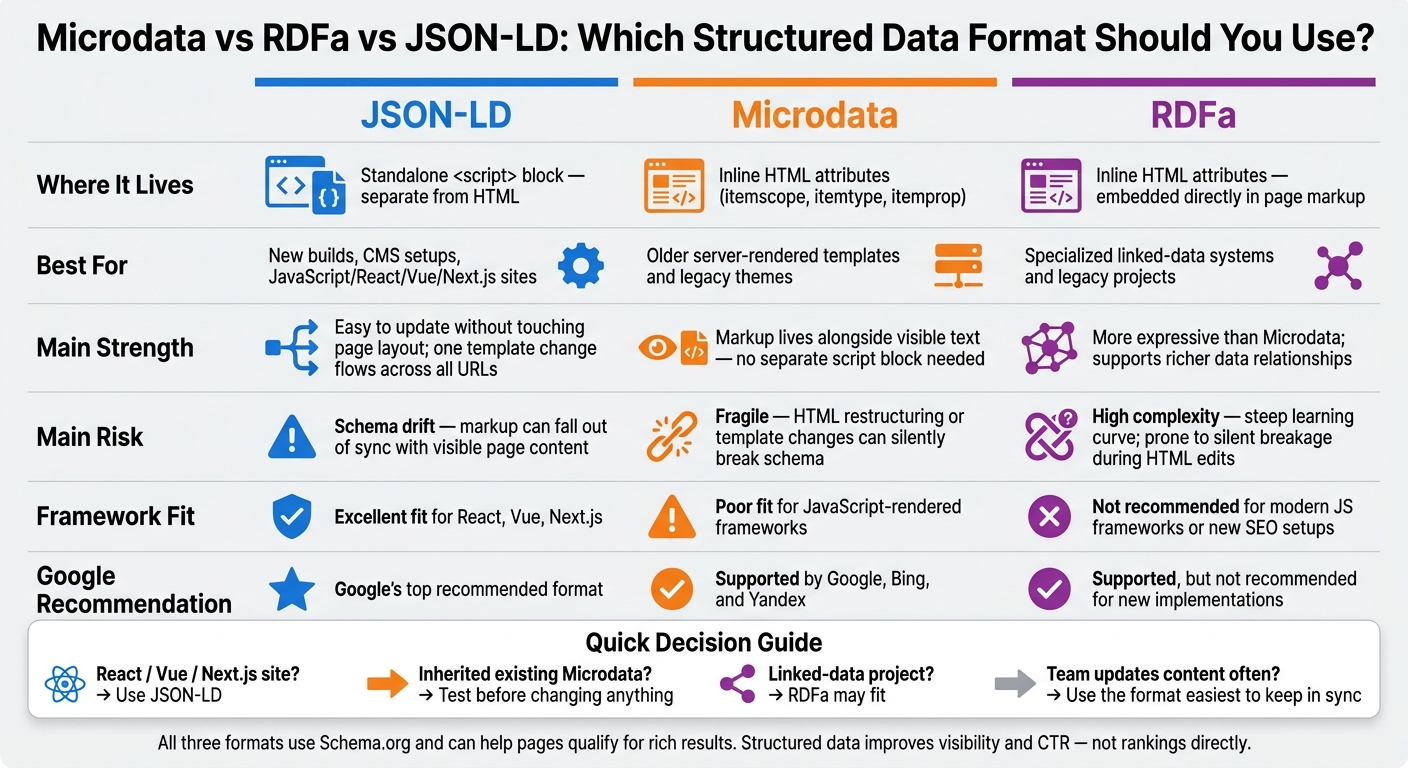
Microdata vs RDFa vs JSON-LD: Structured Data Format Comparison
Microdata Pros and Cons
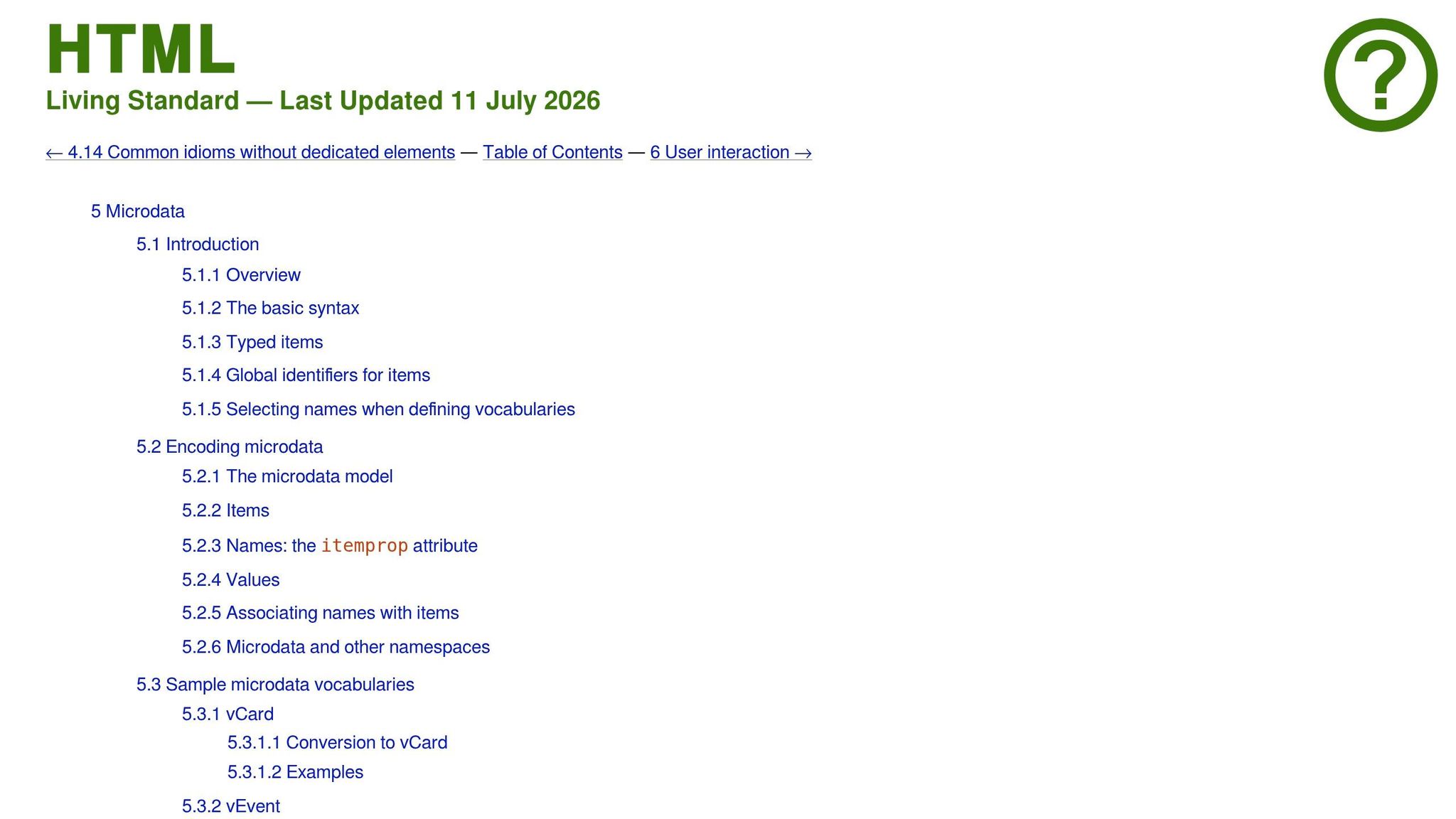
How Microdata Works Inside HTML
Microdata uses three HTML attributes to label content right in the page markup:
itemscopesets the boundary of an entityitemtypepoints to its Schema.org URL, such ashttps://schema.org/Articleitemproplabels each field, like a headline, author, or price
These attributes sit inside the visible HTML, so the machine-readable data stays tied to the same text people see in the browser. That makes Microdata easy to spot in the source code, but it can also break more easily when templates change.
Because Microdata is embedded in HTML, it still shows up in many legacy templates.
Microdata Strengths and Limitations
Since the markup lives next to the visible text, there’s no separate script block that can drift out of sync. That makes it a solid option for simple, server-rendered pages that don’t change much.
The trade-off is maintenance. Because Microdata is connected to the HTML DOM, layout updates or component refactors can break the link between a property and its value. Something as small as wrapping a heading in a new <div> or updating a template can cause errors with no clear warning.
When deciding between JSON-LD vs Microdata, Microdata is a poor fit for modern JavaScript frameworks like React, Vue, and Next.js when crawlers don’t get fully rendered content [1][2].
| Aspect | Microdata Advantage | Microdata Disadvantage |
|---|---|---|
| Content Alignment | Markup lives alongside visible text, so the data reflects what users see. | Any HTML restructuring can silently break schema properties [1]. |
| Implementation | No separate script block is needed. | Adds extra attributes to the HTML, which can make templates harder to read and maintain [7][6]. |
| Maintenance | Works well for simple, static templates where content rarely changes. | Updating one property often means editing multiple HTML elements across pages [7][2]. |
| Compatibility | Supported by Google, Bing, and Yandex [1]. | Unreliable for JavaScript-rendered content in modern frameworks [1][2]. |
| Testing | Can be checked by inspecting the rendered page DOM. | Requires a live URL or fully rendered HTML to validate. |
If you inherit Microdata, check template updates with Schema Validator AI. RDFa uses the same inline method, but it gives you more flexibility and more complexity.
sbb-itb-f4b2e1b
RDFa Pros and Cons
How RDFa Differs from Basic Inline Markup
RDFa keeps markup inline, much like Microdata. But it gives you more flexibility and, with that, more complexity.
It embeds structured data right inside HTML and supports richer relationships than Microdata. The trade-off is simple: it can be harder to read, update, and keep clean over time.
That’s why RDFa tends to make more sense for specialized linked-data systems than for a typical SEO page.
Put plainly, RDFa is more expressive than Microdata, but most SEO sites don’t need that extra layer of complexity.
When RDFa Works and When It Gets Too Complex
RDFa can work well for projects that already rely on linked-data systems. For new SEO setups, though, Google recommends JSON-LD [1][2].
Because RDFa lives inside the page HTML, even small layout edits or component refactors can break the schema without anyone noticing right away. That’s one of the big headaches here. Validation is also tougher because RDFa has to be checked in the rendered page, not in a separate block.
| Use Case | RDFa Fit | Challenges |
|---|---|---|
| General Business SEO | Low | High maintenance; prone to silent breakage during HTML refactors; not recommended for new implementations. |
| Specialized linked-data systems | High | Steep learning curve; verbose markup; difficult to scale across large content inventories. |
| Legacy Systems | Moderate | Often easier to leave as-is than to migrate if it's already working. |
If you inherit RDFa, audit it with Schema Validator AI before deciding whether to migrate to JSON-LD.
Next, compare that complexity with JSON-LD's simpler implementation.
Microdata vs JSON-LD: Which Structured Data Format Wins?
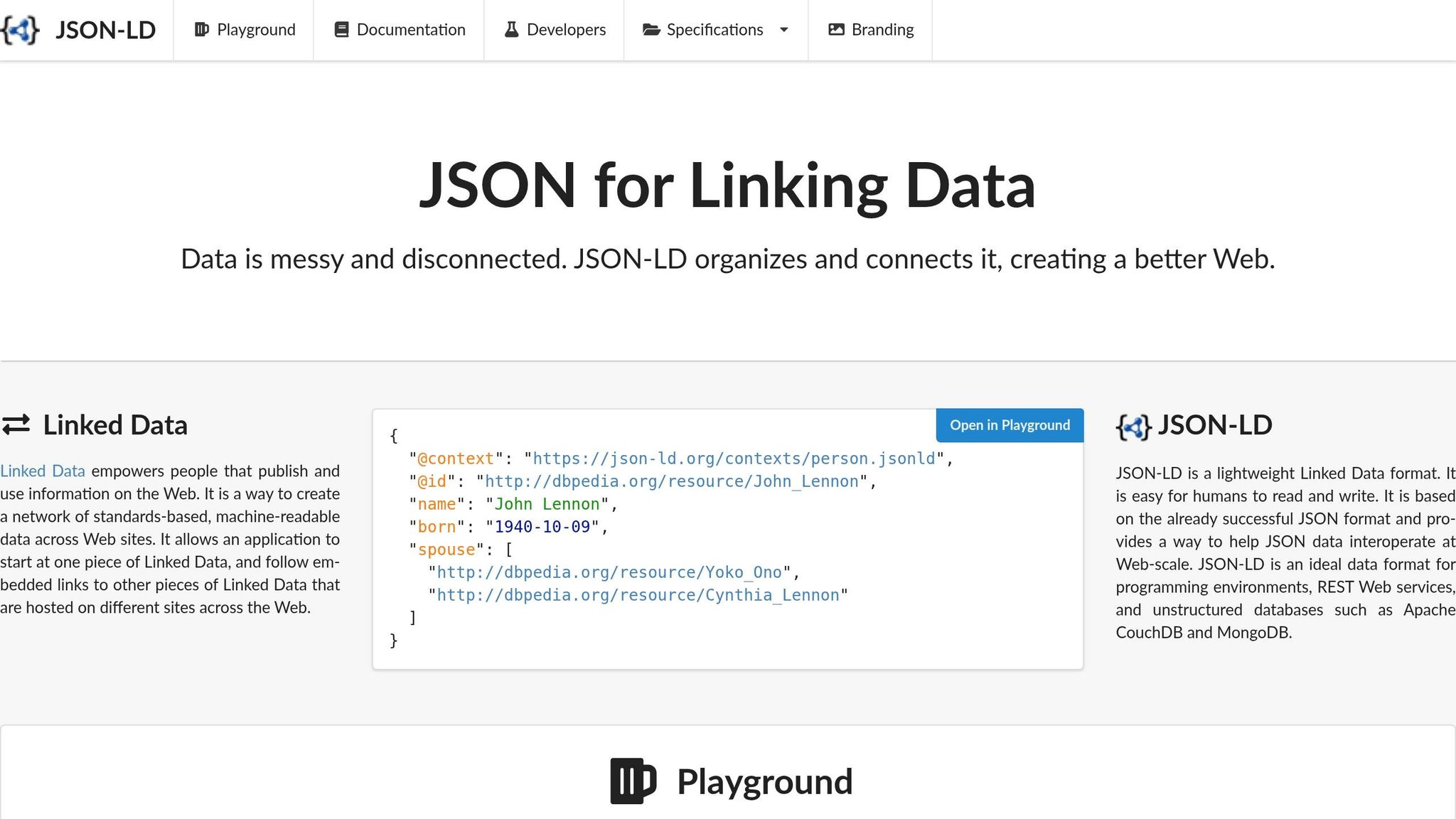
JSON-LD Pros and Cons
JSON-LD sits in its own <script> block. That means it stays out of your HTML, which makes it easier to manage.
Why JSON-LD Is Easier to Add and Update
Because JSON-LD lives separately from the page layout, you can change schema without messing with design or page code. On ecommerce, publishing, and local business sites, that split can save a lot of time. A developer can update one schema template, and that change can flow across every URL that uses it.
JSON-LD is also the most practical option for modern JavaScript frameworks like React, Next.js, and Vue [1][2]. Microdata and RDFa rely on inline HTML attributes showing up in the right place when crawlers read the page. JSON-LD doesn’t. It can be server-rendered or added dynamically, which makes it a better fit for modern CMS workflows.
Where JSON-LD Can Still Go Wrong
That same separation creates the main risk: schema drift. This happens when the markup no longer matches what people see on the page. Maybe a product price changes in the CMS, but the JSON-LD still shows the old amount. Or an article gets a new author, while the schema still names the previous one. If structured data doesn’t match visible content, Google can issue manual actions [3].
Syntax errors can also break things quietly. One missing comma or one unclosed bracket can invalidate the entire schema block, and visitors won’t see any sign that something’s wrong. That’s why regular audits matter, along with validation before publishing.
Schema Validator AI can audit your URLs, detect missing or broken schema, and check compatibility with Google Rich Results for types like Article, FAQ, and Product.
Put simply, understanding schema markup for beginners and validation is a core part of keeping JSON-LD in shape. The main question isn’t just whether JSON-LD is easy to use. It’s whether your team can keep the schema in sync as the content changes.
Choosing Between Microdata, RDFa, and JSON-LD
Which Format Fits Common Website Scenarios
Now that the trade-offs are on the table, the choice comes down to your setup and how much upkeep your team can handle. For most websites, JSON-LD is the best pick.
This table makes the match-up easier:
| Format | Implementation Style | Primary Strength | Main Weakness | Typical Use Case |
|---|---|---|---|---|
| JSON-LD | Standalone <script> block |
Separate from HTML; Google's top recommendation [1][2] | Can drift from visible content if not kept in sync | Best for new builds and modern CMS workflows |
| Microdata | Inline HTML attributes | Already built into many older themes | Fragile; can break silently during HTML changes [1][5] | Keep only until migration is practical |
| RDFa | Inline HTML attributes | Handles complex linked data well [1] | Extremely complex; steep learning curve [4] | Use only when your project already depends on linked-data modeling |
Key Takeaways for Implementation and Validation
The best format isn't the fanciest one. It's the one your team can keep accurate as the site changes.
For most modern sites, that means JSON-LD. If your site already uses Microdata, it's fine to keep it in place until moving away from it makes sense. RDFa is more of a niche option and fits projects that already rely on linked-data modeling.
The main thing to watch with JSON-LD is schema drift. The markup can fall out of sync with what users see on the page. That's why it's smart to validate JSON-LD after every content update or template change.
FAQs
Should I migrate from Microdata or RDFa to JSON-LD?
Yes. Google recommends JSON-LD because it’s easier to implement, maintain, and scale.
Unlike Microdata and RDFa, which are tied to HTML and can break when layouts change, JSON-LD lives in a self-contained script block that sits apart from the visual markup. That makes it simpler to update and less likely to break when a page design changes. Moving to JSON-LD can cut maintenance risk and better support current search and AI standards.
How do I prevent JSON-LD from drifting from page content?
Make sure the data in your JSON-LD script matches the visible content on the page.
Here’s why that matters: JSON-LD sits apart from your HTML. So if someone updates the page copy, swaps a template, or changes key details, the markup may stay the same. And that can leave you with schema that no longer reflects what users actually see.
It’s smart to run regular audits to check that your structured data still lines up with the page.
Schema Validator AI can help check your markup, find missing or broken schema, and keep it aligned with Google Rich Results and current content.
Can structured data help if it does not improve rankings?
Yes. Even if it doesn't directly improve old-school search rankings, structured data still matters.
Why? Because it helps AI-powered search engines verify facts, understand entity relationships, and judge whether your content is solid enough to cite.
It can also help with click-through rates. When your markup is set up well, search engines may show rich results such as:
- Star ratings
- FAQ accordions
- Recipe cards
Schema Validator AI can help you audit your markup and generate clean JSON-LD.