If you run a small business site, I’d start with 7 schema types: Organization, LocalBusiness, Service, Product, Article, FAQPage, and WebPage subtypes. That covers your business, location, offers, content, and page role.
Here’s the short version: pick the type that matches what the page is about (see our schema guide for beginners), only mark up details users can see, and check required fields before publishing. That matters because Google may ignore markup that doesn’t match the page, and FAQ rich results have been limited for most sites since May 7, 2026.
What I’d keep in mind right away:
- Use
Organizationfor your business identity - Use
LocalBusinessfor address, hours, phone, and service area - Use
Servicefor things like consulting, repair, or legal help - Use
Productfor items with price, SKU, and stock status - Use
Articlefor blog posts, guides, and news pages - Use
FAQPageonly when the page shows visible Q&As - Use
WebPagesubtypes likeAboutPageorContactPageto show page role
A few rules make up most of the work:
- Match schema to the page
- Use one service or product block per page when needed
- Keep prices, hours, and stock status identical to on-page text
- Use ISO dates like
2026-07-15 - Test markup before and after site updates
How To Know The Best Schema Markup or Structured Data For Website SEO
sbb-itb-f4b2e1b
Quick Comparison
| Type | Best For | Common Page |
|---|---|---|
Organization |
Business name, logo, profiles | Homepage |
LocalBusiness |
Local details | Homepage, contact, location page |
Service |
Non-physical offers | Service page |
Product |
Sellable item | Product page |
Article |
Editorial content | Blog post or guide |
FAQPage |
Visible Q&A list | FAQ or service page |
WebPage subtypes |
Page purpose | About, contact, category, search |
In short, I’d treat schema as a plain label system: say what the page is, back it up with visible content, and keep the markup simple.
What These Schema Types Help You Describe
These schema types usually fall into five basic jobs: identity, location, offers, content, and page purpose. For most small business sites, that usually maps to seven core types worth setting up first.
The big rule is simple: the schema type has to match what’s on the page. If a page doesn’t show visible questions and answers, don’t mark it up as FAQPage. If you sell consulting, don’t label that page as Product. Your schema choice tells search engines what the page is about at its core. If that signal is off, you’re not helping. You’re muddying the waters.
Business Identity: Organization
Start with the business itself. Organization markup describes your brand at a basic level using JSON-LD or Microdata: your company name, logo, website URL, and social profiles. It usually belongs on the homepage and helps search engines form a clearer view of your business [1][4].
Local Presence: LocalBusiness
LocalBusiness adds the details tied to a place, such as your street address, phone number, geo-coordinates, and business hours. It makes sense for any business with a physical location or a set service area. And when you can, go more specific. A subtype like Dentist, Plumber, or Restaurant gives search engines a better label for what you do [1][2].
Services and Products: Service and Product
Service is for non-physical offerings like consulting, legal help, or medical care. Product is for goods sold online or in person, whether physical or digital.
On most pages, Product works alongside an Offer block that covers price, currency, and availability. Service, on the other hand, usually centers on the provider and the area served [1][4].
Content Types: Article and FAQPage
Article is a fit for blog posts, news pieces, editorial pages, and long-form guides. It helps search engines read key details like the headline, author, and publish date [1][6].
FAQPage is narrower. Use it only when the page shows an actual list of questions and answers that people can see on the page. As of May 7, 2026, Google no longer shows FAQ rich results for most sites, but the markup can still help search systems interpret the page [2].
Page Context: WebPage-Related Types
WebPage and its subtypes, such as AboutPage, ContactPage, and CollectionPage, describe the role of the page itself apart from the main topic on it. That matters more than it may seem at first glance.
For example, a page might already include Organization or Service markup. Adding a WebPage type can still help by adding fields like dateModified and by making the page’s purpose clearer [1][3].
1. Organization
Organization is the root entity for a small business site. It gives search engines a steady reference point for your brand across the whole site.
Put it on the homepage. You can also add it to an About page if that page clearly identifies the business. Once this is set up, other schema blocks can point to it with the same @id, which ties your markup together into one graph.
Start with these core properties:
| Property | Why It Matters |
|---|---|
name |
Your exact brand or legal business name |
url |
Your canonical homepage URL |
logo |
Your logo image; Google prefers images at least 112×112 px [2] |
sameAs |
Links to your official social profiles |
@id |
A stable URI like https://example.com/#org to link schema blocks across your site |
contactPoint |
Phone number and contact type, such as "customer service" |
sameAs helps connect your site to your official social profiles, which can support brand verification.
Once your brand entity is in place, the next type adds location and service-area details through LocalBusiness.
2. LocalBusiness
After Organization, LocalBusiness adds the place-based details search engines need.
Use LocalBusiness when your business has a physical address or serves a set geographic area. It carries over brand-level properties from Organization, like logo and sameAs, then adds local fields such as address, openingHoursSpecification, and geo [1][9].
For a single location, put it on the homepage or a Contact/About page. If you have more than one location, each location needs its own page and its own LocalBusiness block [3][2].
Pick the most specific subtype you can, not the plain LocalBusiness type. A dentist should use Dentist. A restaurant should use Restaurant or FoodEstablishment. A contractor fits under HomeAndConstructionBusiness. That gives search engines a clearer local category [5][9].
Only include location details that people can already see on the page.
These are the main fields most LocalBusiness markup needs:
| Property | Why It Matters |
|---|---|
name |
Should match your Google Business Profile and visible page text exactly [10] |
address |
Full PostalAddress with street, city, state, ZIP, and country |
telephone |
Your main local phone number |
openingHoursSpecification |
Exact opening and closing times for each day of the week |
geo |
Latitude and longitude for correct map placement |
areaServed |
The area you serve, such as a city, ZIP code, or radius |
Match your schema to your Google Business Profile and visible page text exactly. Even small differences, like "St." vs. "Street", can weaken trust [10].
If you're a service-area business, leave out address and use areaServed instead [1][9].
3. Service
After Organization and LocalBusiness, use Service to describe each thing the business sells. Put simply: use it for what you sell. LocalBusiness already handles who you are and where you work.
Use one Service block per service page. For a home services company, that could mean one schema block for "Furnace Installation" and another for "AC Repair", with each one placed on its own page. Search engines connect people to specific service pages, not broad homepages.
Set provider to the @id of your Organization or LocalBusiness.
These fields cover the minimum for a service page:
| Property | What It Does |
|---|---|
name |
Service name |
serviceType |
A specific category or short description of the service |
provider |
@id reference to your Organization or LocalBusiness |
description |
1–2 sentences on what the service covers and who it's for |
areaServed |
Cities, counties, or regions where you perform the work |
offers |
Pricing details, including minPrice, maxPrice, and priceCurrency |
If you show pricing, include priceCurrency and a clear range.
Use Product next when the offer is a physical or digital item, not a service.
4. Product
Where Service covers what you do, Product covers the item itself.
Use Product for a physical item sold on its own page, with a visible price, SKU, and stock status. It works well for e-commerce product pages and variant pages, like different sizes or colors.
Product markup can help eligible pages show price and availability in search results, as long as the markup matches what people see on the page.
| Property | What to Include |
|---|---|
name |
Product name as shown on the page |
image |
High-quality image URL(s), with 800px to 1,200px width preferred |
description |
Clear summary of the product |
sku |
Your internal product identifier |
brand |
Brand name using Brand or Organization |
offers.price |
Numeric value only, with no currency symbol (for example, "49.99") |
offers.priceCurrency |
"USD" for U.S.-based businesses |
offers.availability |
Stock status URL such as https://schema.org/InStock |
The big thing to watch is match.
offers.availability needs to be identical to the stock status shown on the page. If the page says Out of Stock, don't mark the product as InStock. That kind of mismatch can cause problems fast.
Running a short-term sale? Add priceValidUntil with the end date so search engines know when the promo price expires.
The same rule applies to variant pages. Each variant page should have its own Product block, along with its own URL and price.
5. Article
Use Article when the page exists mainly to publish editorial content. That includes blog posts, opinion pieces, guides, and news.
If the page is a blog post, use BlogPosting. If it's a news report, use NewsArticle.
One simple rule: use Article on individual content pages only. Don’t use it on category pages or tag pages. And if the page’s main job isn’t editorial content, pick a different schema type instead.
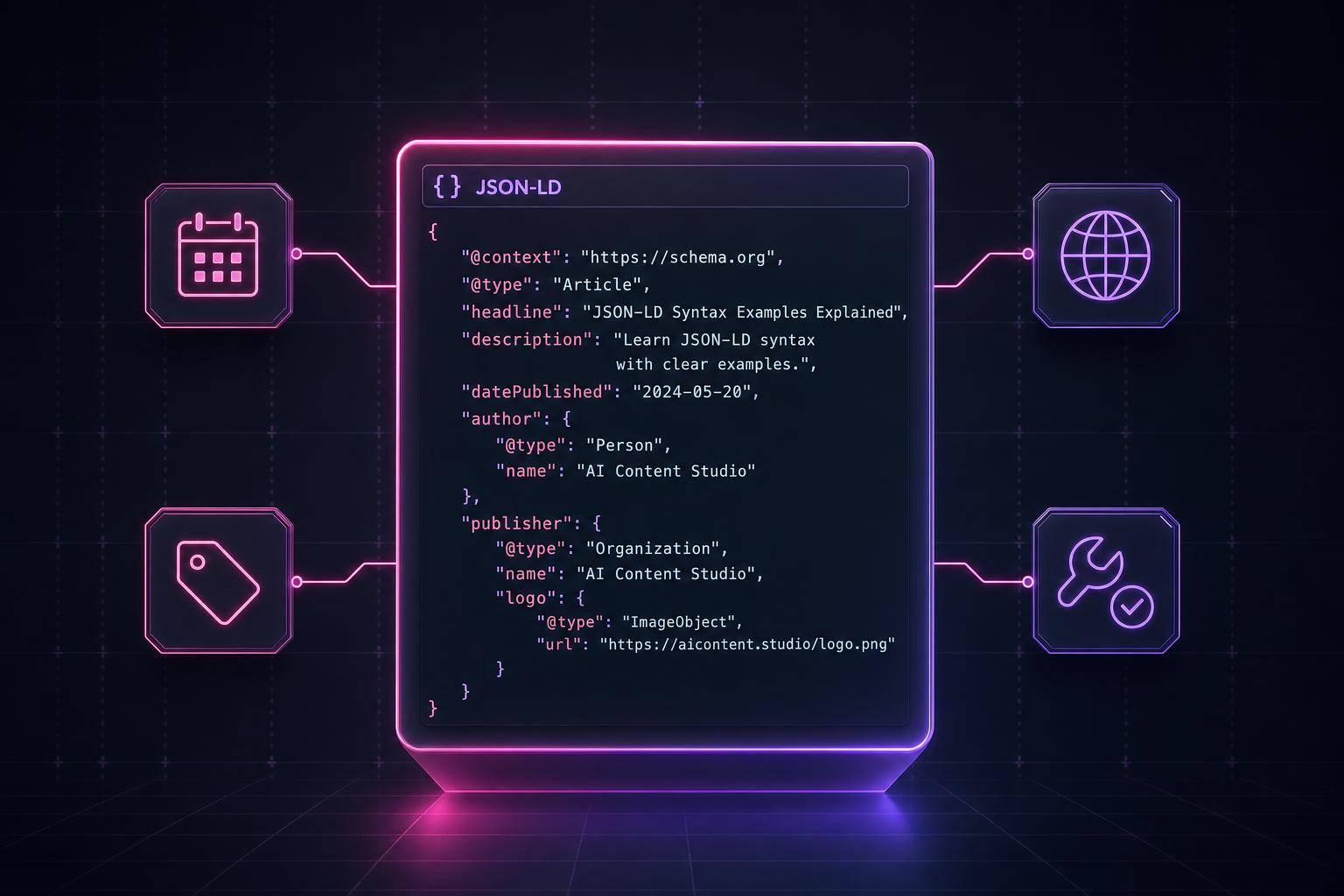
| Property | Status | Notes |
|---|---|---|
headline |
Required | Match the visible H1. |
image |
Required | Use a representative image, at least 1,200 px wide. |
datePublished |
Required | Use ISO 8601 format, such as 2026-07-15 |
author |
Required | Use a nested Person with name and URL. |
dateModified |
Recommended | Update whenever the article changes in a meaningful way. |
publisher |
Recommended | Use a nested Organization object |
description |
Recommended | A short summary of the article content |
6. FAQPage
Use FAQPage when a page shows a visible list of questions, and each question has one clear answer from your business. It works well on service pages about pricing, setup, or eligibility, on local contact pages about hours, parking, or local rules, and in help centers where the same questions come up again and again.
One rule matters a lot here: every question and answer in the markup must already appear on the page. That includes accordion content. Hidden or cloaked FAQ markup isn’t allowed. The schema simply tells search engines, in plain terms, that the page follows a Q&A format.
The markup itself is pretty simple:
| Property | Notes |
|---|---|
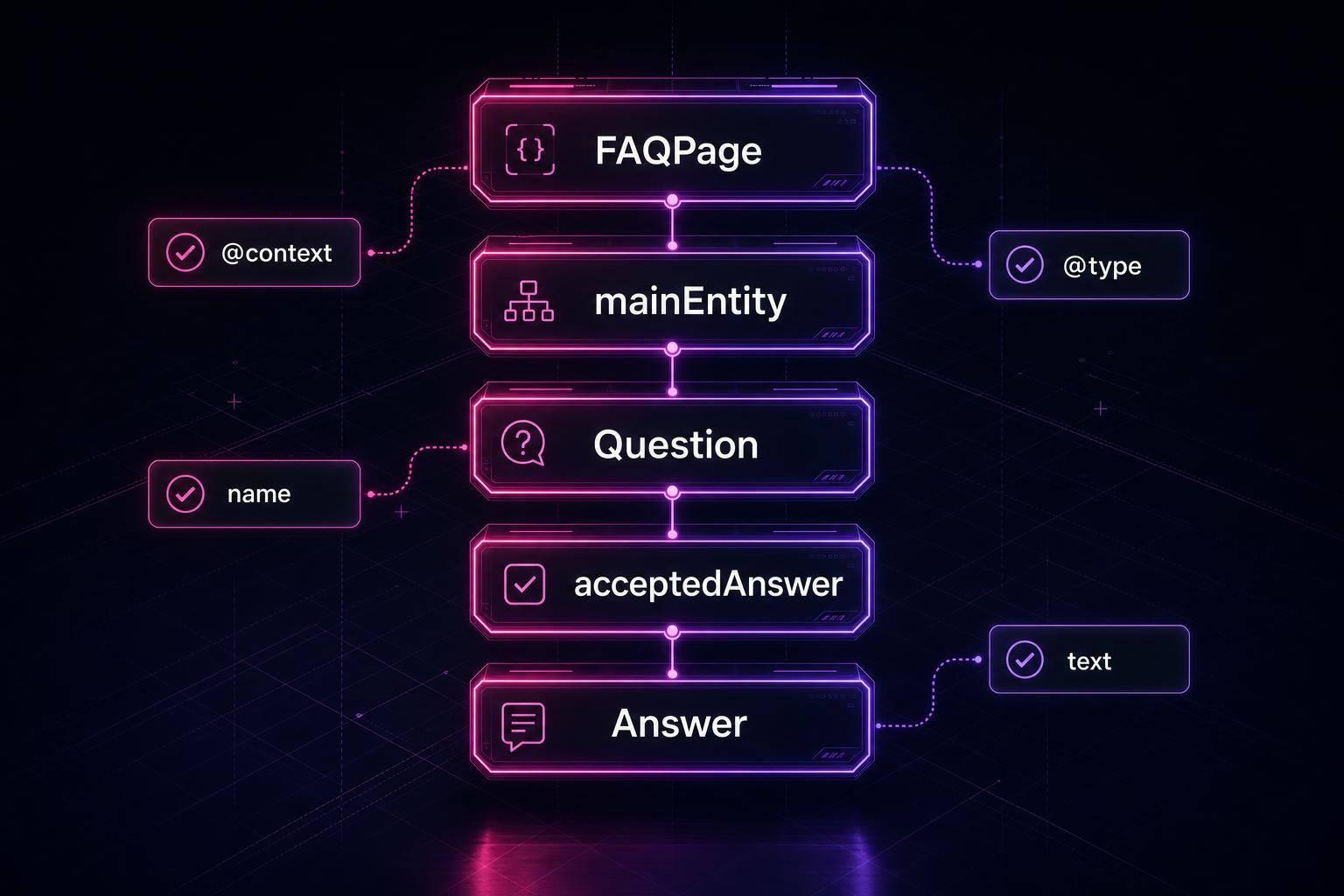
@type: "FAQPage" |
Declares the page type. |
mainEntity |
An array containing one or more Question objects. |
@type: "Question" |
Marks each item as a question. |
name |
The full question text; match the on-page wording exactly. |
acceptedAnswer |
The single authoritative Answer object. |
@type: "Answer" |
Marks the value as an answer. |
text |
The complete answer text. Limited HTML such as <a>, <strong>, <em>, <p>, <ol>, <ul>, and <li> is allowed. |
A good rule of thumb: keep it tight. Aim for 5–8 questions, with 40–80 words per answer. FAQPage only makes sense when your business is the one giving the final answer. If users can submit answers too, use QAPage instead.
If the page does more than just handle FAQs, the next layer to add is a WebPage subtype.
7. WebPage-Related Types
Use a WebPage subtype when the job of the page matters just as much as the topic on it.
Here’s the key idea: WebPage-related types describe the page itself, not your company, product, or service. If none of the subtypes fit, stick with the plain WebPage type.
Pick the subtype based on what the page is there to do:
| Variant | Best Placement | What It Signals |
|---|---|---|
AboutPage |
/about-us |
Brand story, founder info, E-E-A-T authority |
ContactPage |
/contact |
Contact details, forms, maps - pairs well with LocalBusiness |
CollectionPage |
/category/ or /shop/ |
A curated list of products, posts, or services |
SearchResultsPage |
/search?q=... |
Internal site search results |
Across these page types, include the main properties: name, description, url, datePublished, dateModified, and isPartOf. For isPartOf, point it to your WebSite entity.
That link gives search engines more context about where the page sits within the site as a whole. Think of it like showing the page’s home address instead of leaving it floating on its own.
It’s also smart to use one @graph block to tie WebPage, WebSite, Organization, and BreadcrumbList together on the same page.
Quick Comparison of the 7 Types
7 Schema.org Types Every Small Business Site Needs
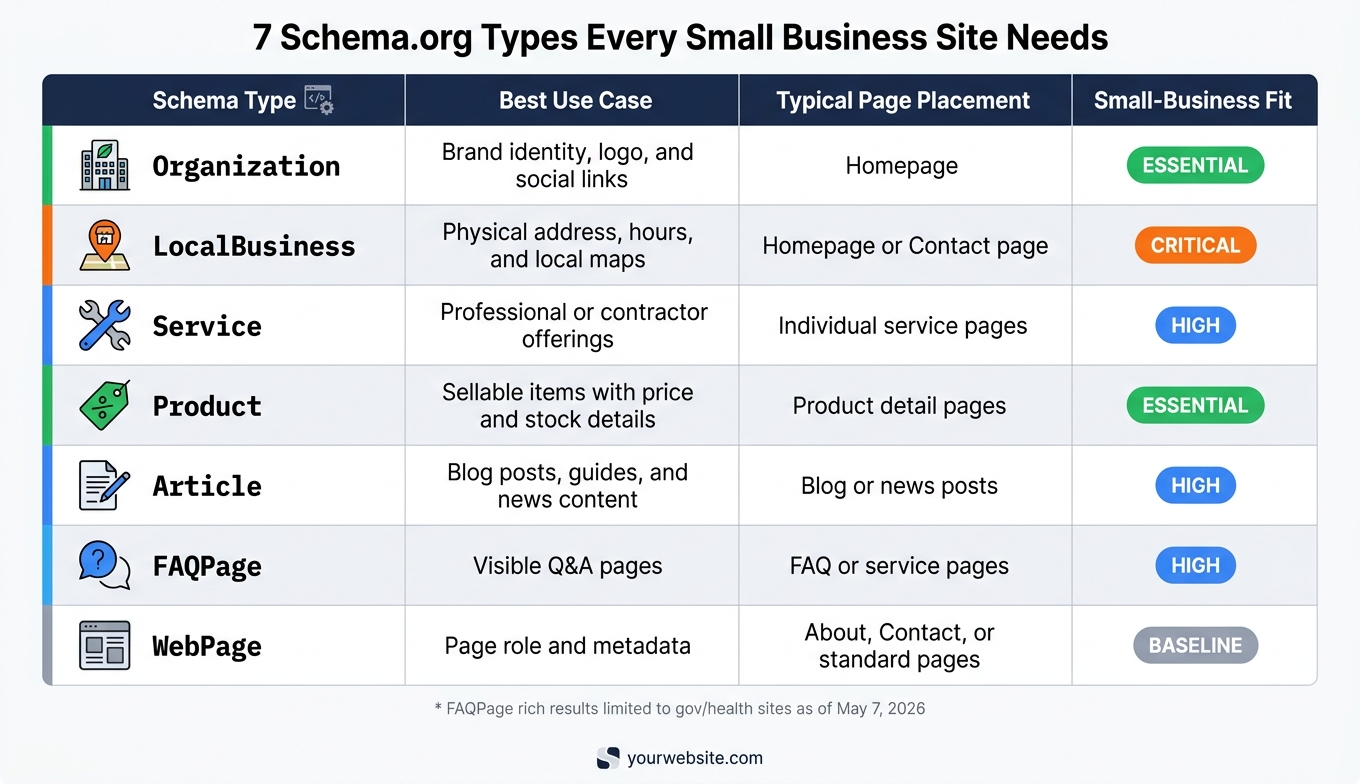
Now that you’ve seen the seven types, it helps to line them up side by side before you pick markup. Think of this as a quick gut-check. It shows which type fits which page so you can choose with less guesswork before moving on to the mistake check.
| Schema Type | Best Use Case | Typical Page Placement | Small-Business Fit |
|---|---|---|---|
| Organization | Brand identity, logo, and social links | Homepage | Essential |
| LocalBusiness | Physical address, hours, and local maps | Homepage or Contact page | Critical |
| Service | Professional or contractor offerings | Individual service pages | High |
| Product | Sellable items with price and stock details | Product detail pages | Essential |
| Article | Blog posts, guides, and news content | Blog or news posts | High |
| FAQPage | Visible Q&A pages | FAQ or service pages | High |
| WebPage | Page role and metadata | About, Contact, or standard pages | Baseline |
Some types can live on the same page at the same time, as long as each one has a clear job. For example, a homepage might use Organization and LocalBusiness together. That’s fine. The goal is to match the markup to what the page is actually about, so you can catch mismatches before reviewing common schema mistakes.
Common Mistakes to Avoid When Choosing a Schema Type
Picking the wrong schema type is one of the most common setup mistakes small business sites make. The quick comparison above helps match a type to a page. But that alone won't save you if the markup doesn't match what the page actually does. The goal is simple: the schema should fit both the content on the page and the page's job.
Using Product for a Service
Start with a basic split: services are not products. Consulting, legal help, repair work, and design services should use Service schema. Product is meant for discrete sellable items with clear pricing and availability [3]. If you label a service page as Product, you're using the wrong type.
Using FAQPage Without Visible Questions and Answers
Don't add FAQPage markup unless the questions and answers are fully visible on the page. If the content is hidden, the markup doesn't qualify [1][3][6]. As of May 7, 2026, Google significantly restricted FAQ rich results, now showing them only for authoritative government and health-related websites [8][7]. So this isn't the place to get cute. Use FAQPage only when the Q&A is plainly shown to visitors.
Choosing LocalBusiness Without a Real Local Fit
Use LocalBusiness only when the page clearly shows a real address, phone number, hours, and service area. If the page doesn't show an actual local presence, don't force it [1][3][6].
Adding Details That Are Incomplete or Unsupported
Only mark up details that appear on the live page. If a property isn't backed up by visible content, leave it out. Schema isn't the place for guesswork.
Forcing Rich Results on Every Page
Don't add schema just because it might trigger a richer search result. Not every page needs a schema type built for rich results. Sometimes a clean WebPage type is the better move. It matches the page, keeps the markup honest, and avoids stuffing in types that don't belong.
Helpful Tools for Checking Your Markup
Once you’ve picked the right schema type, validate the markup before it goes live. That’s the moment where you make sure everything lines up.
When to Validate Your JSON-LD
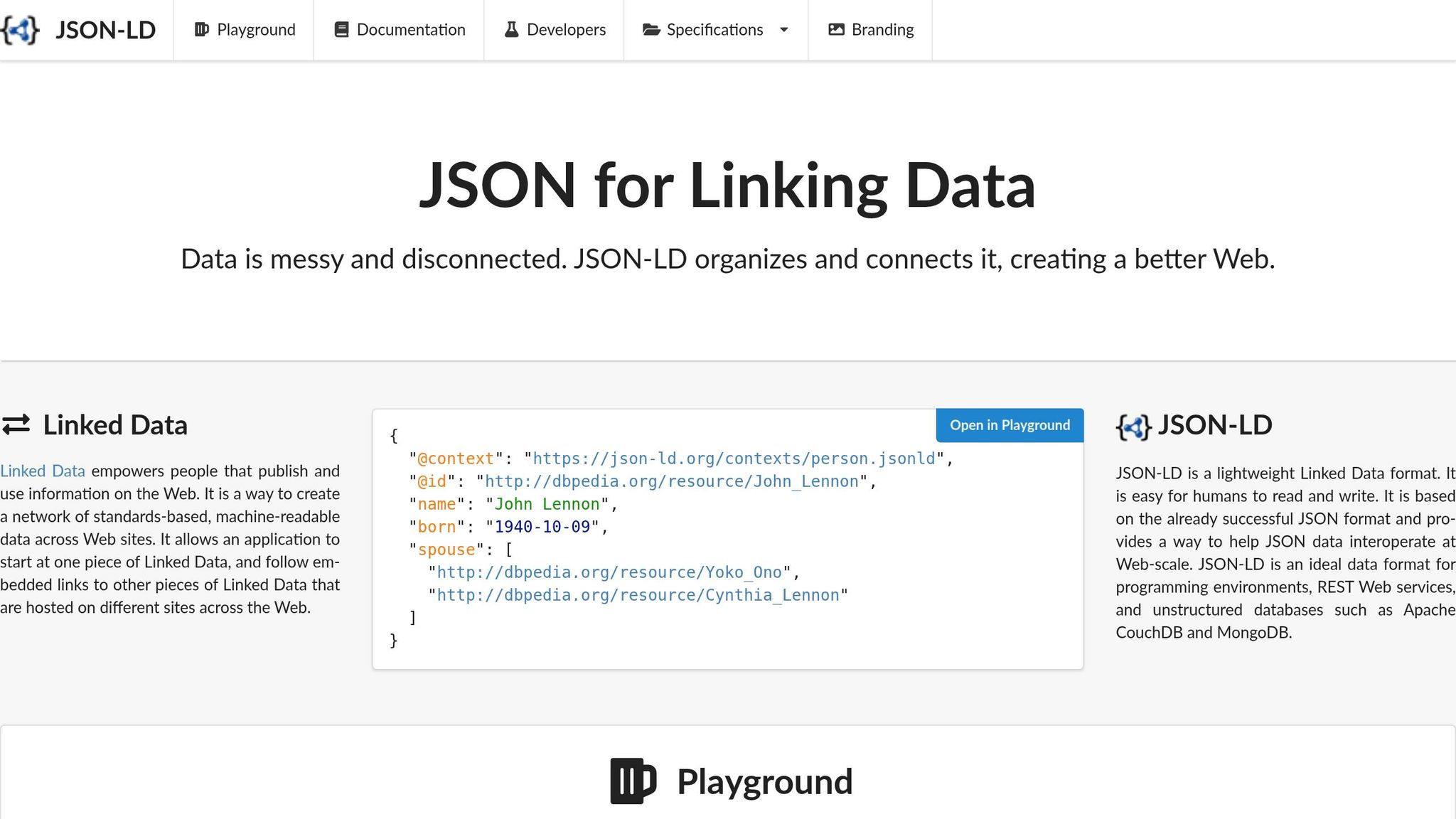
Validate JSON-LD in a few key moments:
- When you add a new schema type
- Before publishing
- After CMS or plugin updates
- Anytime the page content changes
What to Check During Validation
The main rule is simple: the markup must match the page. If the structured data says one thing and the live page says another, that’s a problem.
Focus on these checks:
- Content match: A price of $49.99 in your markup and $59.99 on the page can trigger a manual action and remove rich-result eligibility [11][4]
- Required properties: Missing required fields will disqualify a page from rich results
- ISO 8601 dates: Use
2026-07-15, not "July 15, 2026" [11][2] - Absolute
https://URLs: Apply to fields likeimageandsameAs[11][2] - Incorrect nesting: Check that nested objects like
OfferandPersonare structured correctly
Tools Small Businesses Can Use
Start with two tools, then keep an eye on Search Console. First, run your markup through the Schema Markup Validator at validator.schema.org to catch typos, structural errors, and type mismatches. Then use the Google Rich Results Test to see whether the page qualifies for rich results [2][11].
After that, monitor the Enhancements section in Google Search Console for errors and warnings on indexed pages [2][8].
Schema Validator AI can audit URLs and generate JSON-LD for common schema types.
Conclusion
These seven types give most small-business sites a solid place to start. The set covered here - Organization, LocalBusiness, Service, Product, Article, FAQPage, and WebPage-related types - fits the pages most small businesses already have.
The main job is simple: match the schema type to the page and stick to supported properties. If the type doesn’t line up with the page, Google may ignore it or limit eligibility. Once you’ve picked the right type, check the markup against the live page using a schema markup audit checklist.
Start with the required properties. If even one is missing, eligibility can fail. After that, add optional fields that make the entity easier to understand.
Schema Validator AI can review existing markup, point out missing fields, and generate JSON-LD for these types.
Use the right type first. Then keep the markup simple and exact.
FAQs
Can I use more than one schema type on a page?
Yes. You can - and often should - use more than one schema type on a page, as long as each one matches content people can actually see on that page.
For example, a blog post page might include Article, BreadcrumbList, and Organization. That gives search engines a clearer read on the different parts of the page.
How do I choose between Service and Product?
Choose Product when the page sells a physical or digital item, like retail goods or SaaS subscriptions. This can help support product rich results such as price, availability, and ratings.
Choose Service for intangible offers like consulting, repairs, or other professional work. It helps search engines and AI understand what your business does.
What schema should I use on About or Contact pages?
Use Organization or LocalBusiness schema.
Organization covers the basics of your brand, like your logo and social profiles.
If customers can visit you in person, go with LocalBusiness instead. It’s a better fit because it lets you add details like your address, phone number, and business hours.
You can also add WebPage schema to give search engines more context for pages like About or Contact.